BlackVue DR770X-1CH 2MP 64GB Car Camera

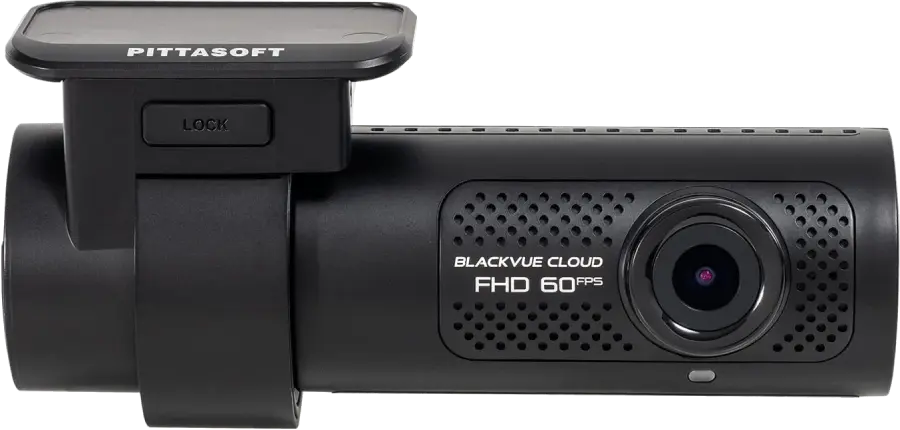


A reliable camera that automatically records and locks files in the event of an accident
Keep all incidents saved, including while parked.
- Local WiFi so you can view your recordings on your phone - even when you’re on the road
- Front camera in Full HD
- Easily connects to 12V in the car
- The camera write-protects recordings itself if it detects the vehicle is involved in an accident
With the right power supply the cameras can detect and record video if someone hits your car while it's parked.
BlackVue's DR770X-1CH is a new and improved version of the DR750X-1CH.

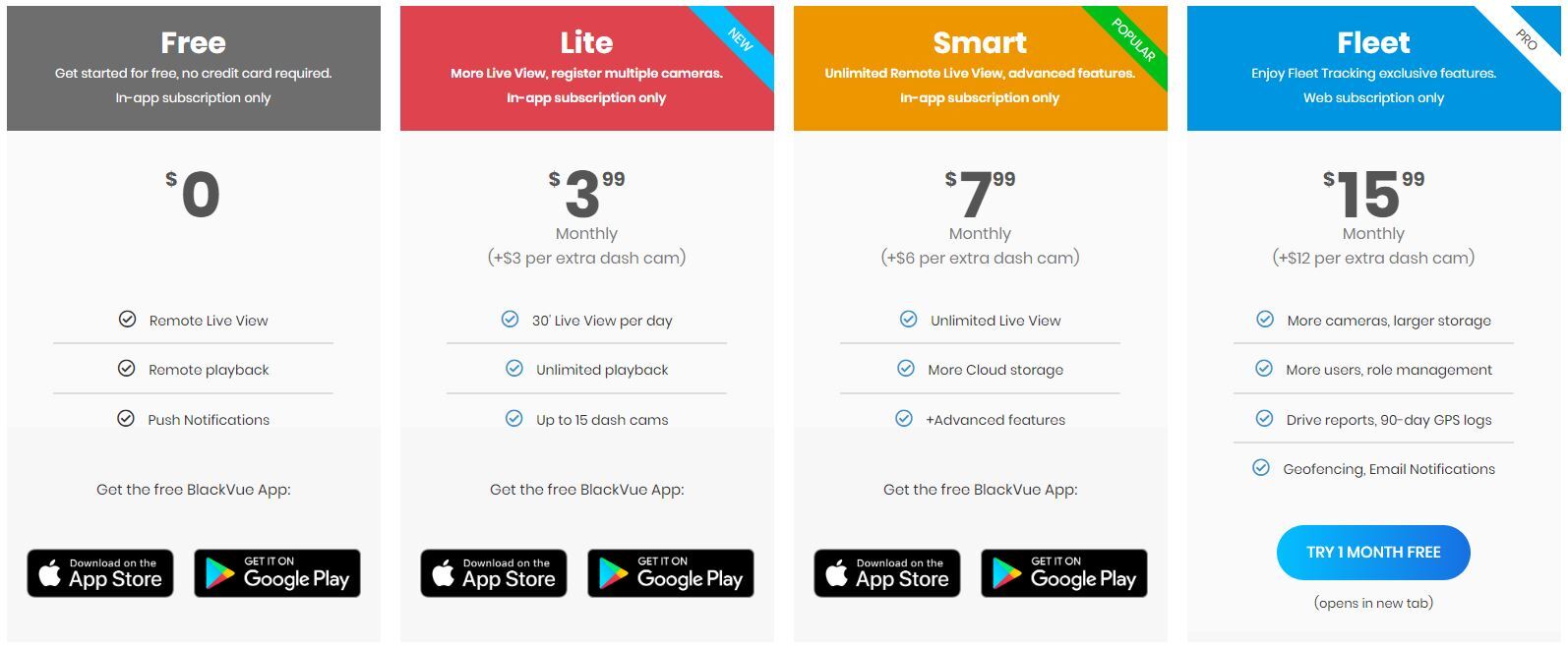
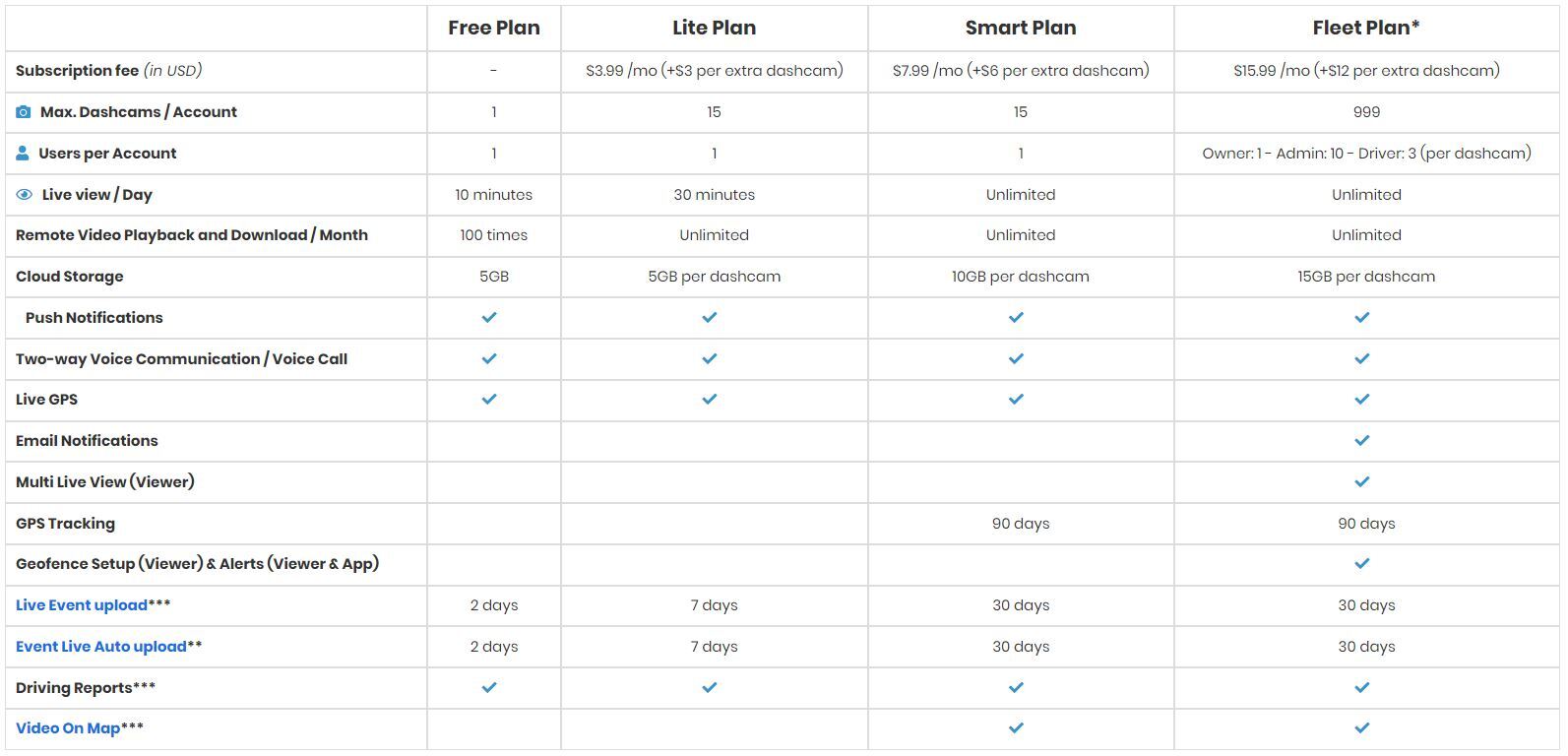
If you're looking for a car camera you can access from your phone, that can send you alerts, upload recordings to the cloud and much more — this is the camera you need.
Note: the video shows a 4K camera and a rear camera.
About the front camera (Full HD)
BlackVue's front camera is absolutely one of the best car or truck cameras we've tested. It's packed with great features like GPS, 4G, WiFi hotspot, microphone, a 3-axis accelerometer that can detect incidents and G-force, rear camera, Parking mode and much more — see the specifications further down the page. Recordings can be played directly on your phone over WiFi or by moving the SD card to your computer and using the included software. In the software you get the full overview: you can see front camera + rear camera + location on Google Maps/road map while also viewing the various gauges, so you can tell how hard the vehicle braked, accelerated or turned. See a demonstration of these features in the video below.
Recordings are in Full HD (2MP) and can be played directly from mobile/tablet/PC or uploaded automatically to a cloud. The cloud storage is owned by BlackVue and there may be a fee to use it, but it's only necessary if you want automatic backup. The cloud is free for a single cam per user - read more about the cloud here
Parking mode definitely deserves mention. The camera can also protect the car when it's parked. That means if the vehicle is hit while unattended, the camera records the event and locks the file.

WiFi and the microphone can be turned on and off separately. WiFi is turned off by pressing a button on the right end (as seen from the driver's seat) and the microphone is turned off by bringing the driver's hand near the left end of the camera at a sensor. Both actions are confirmed by voice: "Wifi/audio-recording enabled (activated) or disabled (deactivated)", and it's also possible to see a WiFi symbol on the camera.

Recordings are saved in FHD in the H.265 format — so large files are compressed as efficiently as possible.
Nice features worth mentioning
-
Protection against overwriting: The camera records automatically and also automatically overwrites the oldest files, so you don't have to change the card or do anything to keep it running. BUT if an accident happens, it's great that those recordings are not overwritten. AND THEY AREN'T — the camera can detect an accident and "write-protect" the files leading up to the incident. You can also lock files manually.
-
SD card error detection: SD cards can wear out and fail; if an error occurs and the camera can't record, a voice alert will say: “Please check SD card”.
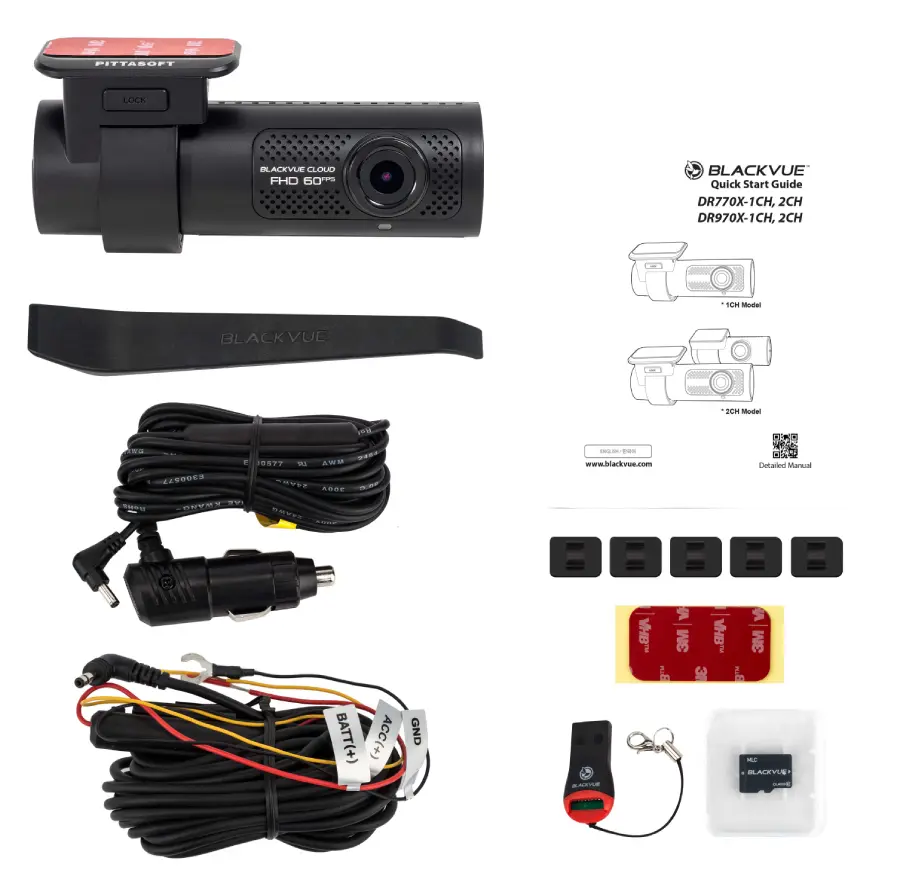
The kit includes:
- Front camera
- MicroSD card 16GB (BlackVue)
- Power cable for permanent installation (to connect to the vehicle's wiring)
- Power cable for temporary installation (cigarette lighter)
- microSD card reader (for use with PCs without a card reader/USB)
- Cable clips
- Double-sided tape for the mounting bracket
- Trim tool (easily hide cables behind trim panels)
- Quick start guide
About installation:
It doesn't take long to install the camera. There are two ways to connect it to power.
- With the included cigarette lighter plug
- Directly to the vehicle wiring (If you need to know which wires to use, contact your local mechanic — they know all about it and can often do the installation.)
Installation includes the following steps:
- Insert the SD card.
- Mount the front camera in the desired position (double-sided tape)
- Mount the rear camera in the desired position (double-sided tape)
- Run the cable from the rear to the front camera (the cable can almost always be hidden in trim — see our videos)
- Connect power
- Download the app and set up the camera as you like.
See an installation video here:
You can also read more about the camera on the manufacturer's website by clicking here