Uniview NVR502-16B-IQ
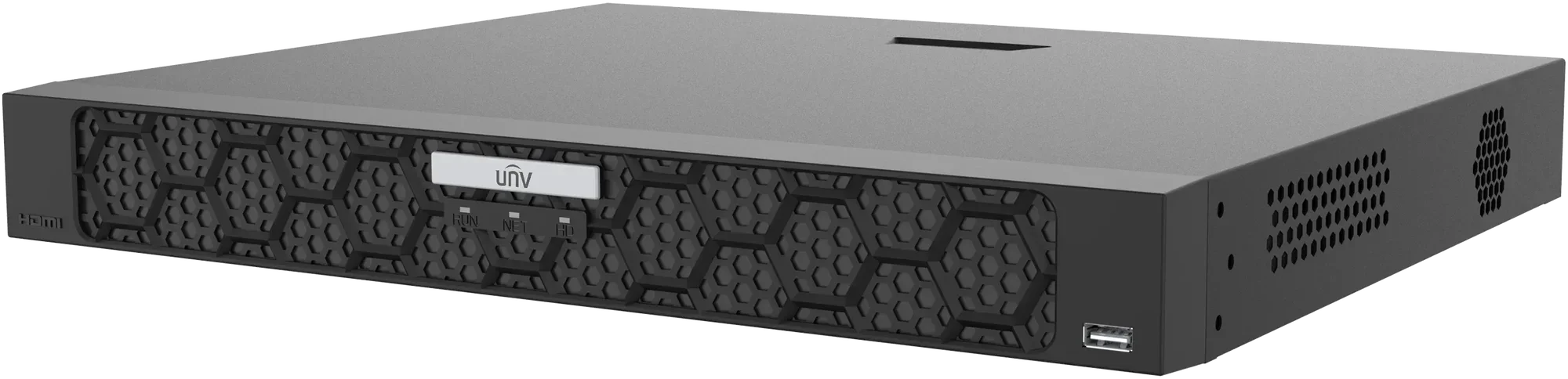
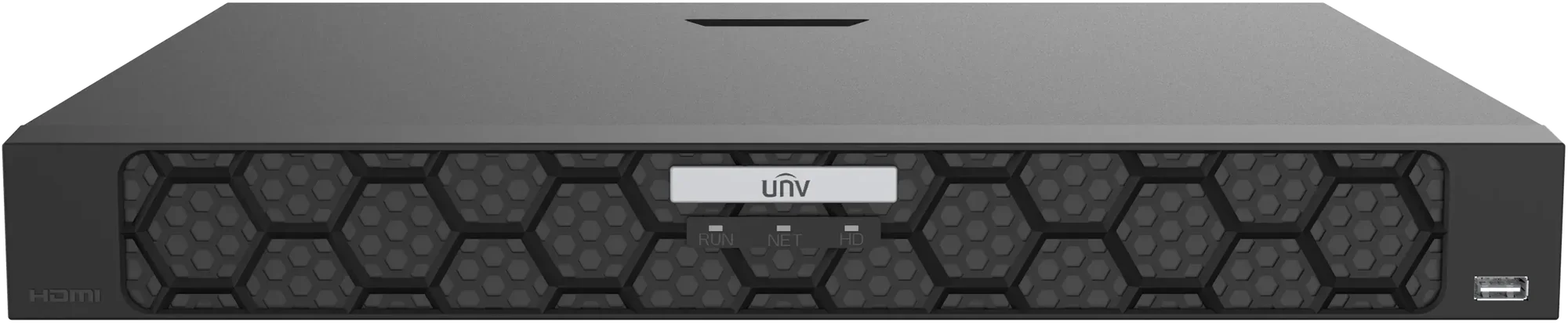


Recorder with artificial intelligence with effective analysis
- makes normal cameras intelligent with the recorder's analysis
- works with all cameras that support ONVIF
- connect camera up to 12 megapixels
- lots of connection options (app, computer, TV and local screen)
- free computer software that brings together all your cameras from multiple systems.
- fisheye dewarping provides the best images from 360° cameras
A professional recorder, with excellent intelligent search functions.
The professional installer will appreciate the recorder's ability to catch stray cameras themselves. If the IP addresses change because the customer changes router or internet provider - then the recorder will find the cameras again.
| Technical specifications | |
| Series | NVR502-B-IQ |
| Product type | Network Video Recorder (NVR) |
| Available models | NVR502-09B-IQ, NVR502-16B-IQ, NVR502-32B-IQ |
| IP camera channels | 9 / 16 / 32 channels, depending on model |
| Maximum recording resolution | 16 MP |
| Camera compatibility | ONVIF Profile S, Profile G, Profile T and RTSP-compatible cameras |
| HDMI/VGA output | Independent HDMI and VGA outputs |
| Automatic Network Replenishment (ANR) | Supported; enhances storage reliability when the network is disconnected |
| Cloud upgrade | Supported |
| Video and audio input | |
| IP video input – NVR502-09B-IQ | 9 channels |
| IP video input – NVR502-16B-IQ | 16 channels |
| IP video input – NVR502-32B-IQ | 32 channels |
| RCA audio input | 1 channel |
| Video decoding | |
| Decoding formats | Ultra 265, H.265, H.264 |
| Audio compression | G.711A, G.711U |
| NVR502-09B-IQ – Smart Off | 2 × 16 MP @ 30 fps, 2 × 12 MP @ 30 fps, 4 × 4K @ 30 fps, 8 × 4 MP @ 30 fps, 9 × 3 MP @ 30 fps, 9 × 1080P @ 30 fps |
| NVR502-09B-IQ – Smart On | 2 × 12 MP @ 30 fps, 2 × 4K @ 30 fps, 6 × 4 MP @ 30 fps, 8 × 3 MP @ 30 fps, 9 × 1080P @ 30 fps |
| NVR502-16B-IQ – Smart Off | 2 × 16 MP @ 30 fps, 2 × 12 MP @ 30 fps, 4 × 4K @ 30 fps, 8 × 4 MP @ 30 fps, 10 × 3 MP @ 30 fps, 16 × 1080P @ 30 fps |
| NVR502-16B-IQ – Smart On | 2 × 12 MP @ 30 fps, 2 × 4K @ 30 fps, 6 × 4 MP @ 30 fps, 8 × 3 MP @ 30 fps, 12 × 1080P @ 30 fps, 16 × 720P @ 30 fps |
| NVR502-32B-IQ – Smart Off | 2 × 16 MP @ 30 fps, 2 × 12 MP @ 30 fps, 4 × 4K @ 30 fps, 8 × 4 MP @ 30 fps, 10 × 3 MP @ 30 fps, 16 × 1080P @ 30 fps, 32 × 720P @ 30 fps |
| NVR502-32B-IQ – Smart On | 2 × 12 MP @ 30 fps, 2 × 4K @ 30 fps, 6 × 4 MP @ 30 fps, 8 × 3 MP @ 30 fps, 12 × 1080P @ 30 fps, 24 × 720P @ 30 fps, 32 × D1 |
| Network | |
| Incoming bandwidth – Smart Off | 320 Mbps |
| Incoming bandwidth – Smart On | 160 Mbps |
| Outgoing bandwidth | 160 Mbps |
| Remote users | 128 |
| Network protocols | TCP/IP, P2P, NTP, DHCP, PPPoE, HTTP, HTTPS, DNS, DDNS, SNMP, SMTP, NFS, RTSP, IPv6 |
| Web browser compatibility | |
| Browser requirements | Plug-in required |
| Internet Explorer | IE 10/11 for Windows |
| Mozilla Firefox | Version 52.0 and above for Windows |
| Google Chrome | Version 45 and above for Windows |
| Microsoft Edge | Version 79 and above for Windows |
| Video and audio output | |
| HDMI output | 1 channel |
| VGA output | 1 channel |
| HDMI/VGA operation | Independent output |
| HDMI output resolutions | 3840 × 2160 @ 30 Hz (4K), 1920 × 1080p @ 60 Hz, 1920 × 1080p @ 50 Hz, 1600 × 1200 @ 60 Hz, 1280 × 1024 @ 60 Hz, 1280 × 720 @ 60 Hz, 1024 × 768 @ 60 Hz |
| VGA output resolutions | 1920 × 1080p @ 60 Hz, 1920 × 1080p @ 50 Hz, 1600 × 1200 @ 60 Hz, 1280 × 1024 @ 60 Hz, 1280 × 720 @ 60 Hz, 1024 × 768 @ 60 Hz |
| RCA audio output | 1 channel |
| Two-way audio | 1 channel, RCA (using the audio input and output) |
| Live view | |
| Live view layouts – NVR502-09B-IQ | 1 / 4 / 6 / 8 / 9 |
| Live view layouts – NVR502-16B-IQ | 1 / 4 / 6 / 8 / 9 / 16 |
| Live view layouts – NVR502-32B-IQ | 1 / 4 / 6 / 8 / 9 / 16 / 25 / 32 |
| Corridor mode layouts – NVR502-09B-IQ | 3 / 4 / 5 / 7 / 9 |
| Corridor mode layouts – NVR502-16B-IQ | 3 / 4 / 5 / 7 / 9 / 10 / 12 / 16 |
| Corridor mode layouts – NVR502-32B-IQ | 3 / 4 / 5 / 7 / 9 / 10 / 12 / 16 / 32 |
| Recording and playback | |
| Recording resolutions | 16 MP, 12 MP, 8 MP, 6 MP, 5 MP, 4 MP, 3 MP, 1080P, 960P, 720P, D1, 2CIF, CIF |
| Local synchronous playback – NVR502-09B-IQ | 9 channels |
| Local synchronous playback – NVR502-16B-IQ | 16 channels |
| Local synchronous playback – NVR502-32B-IQ | 16 channels |
| Snapshot | |
| Snapshot modes | FTP, Schedule, Event |
| Snapshot channels | 4 channels |
| Maximum snapshot resolution | 4K |
| Smart functions | |
| VCA detection by IP camera | Vehicle Detection; Smart Intrusion Prevention (Intrusion Detection, Cross Line Detection, Enter Area, Leave Area); Ultra Motion Detection (UMD); Temperature Detection (Fire Detection, Smoking Detection, Temperature Measurement, Smoke and Fire Detection); People Counting (People Flow Counting, Crowd Density Monitoring); Video Metadata; Traffic Monitoring |
| Smart functions by NVR | Smart Intrusion Prevention (SIP), Ultra Motion Detection (UMD) |
| VCA search | Motor Vehicle Search, Non-Motor Vehicle Search, General Search, People Counting Report, Heat Map |
| Smart functions by IP camera | All channels, up to 8 images/s in total |
| Camera-based smart function categories | Vehicle Detection, Temperature Detection, SIP, UMD, Video Metadata, Traffic Monitoring |
| Search by image | Supported |
| Vehicle picture libraries | Up to 5 libraries |
| Vehicle picture library capacity | Up to 25,000 vehicle pictures in total |
| SIP by NVR | 4 channels |
| UMD by NVR | 8 channels |
| Vehicle snapshot record capacity | 2 million records |
| SIP record capacity | 3 million records |
| Video metadata record capacity | 2 million records |
| Alarm functions | |
| General alarms | Defocus Detection, Scene Change Detection, Object Left Behind, Object Removed, Auto Tracking, Motion Detection, Tampering, Human Body Detection, Video Loss, Alarm Input, Audio Detection |
| Alert alarms | IP Conflict, Network Disconnected, Disk Offline, Disk Abnormal, Illegal Access, Hard Disk Space Low, Hard Disk Full, Recording/Snapshot Abnormal, Array Damaged, Array Degraded |
| Hard disk storage | |
| SATA interfaces | 2 |
| Maximum HDD capacity | Up to 16 TB per HDD |
| Maximum total HDD capacity | Up to 32 TB (2 × 16 TB) |
| Disk group | Supported |
| Redundant storage | Supported |
| RAID | RAID 1 |
| HDD capacity note | Maximum HDD capacity varies with environmental temperature. |
| External interfaces | |
| Network interfaces | 2 × RJ45 10/100/1000 Mbps self-adaptive Ethernet |
| Front USB interface | 1 × USB 2.0 |
| Rear USB interfaces | 1 × USB 2.0, 1 × USB 3.0 |
| RS485 | 1 |
| RS232 | Not available |
| Alarm inputs | 8 channels |
| Alarm outputs | 2 channels |
| Power switch | Supported |
| Power and environment | |
| Power supply | 12 V DC / 3 A |
| Power consumption | ≤ 12 W (without HDD) |
| Operating temperature | -10 °C to +50 °C (+14 °F to +122 °F) |
| Operating humidity | ≤ 90% RH (non-condensing) |
| Physical specifications | |
| Dimensions | 380 × 315 × 53 mm (15.0 × 12.4 × 2.1 in.) |
| Height | 1U |
| Weight (without HDD) | ≤ 2 kg (4.4 lb) |
| GUI languages | |
| Number of languages | 38 |
| Supported languages | Simplified Chinese, Traditional Chinese, English, Vietnamese, Thai, Turkish, Spanish (Latin America), Portuguese (Brazil), Spanish, Portuguese, French, German, Italian, Dutch, Polish, Czech, Hungarian, Slovak, Russian, Hebrew, Arabic, Ukrainian, Estonian, Bulgarian, Greek, Romanian, Danish, Swedish, Norwegian, Finnish, Croatian, Slovenia, Serbia, Korean, Japanese, Latvian, Lithuanian, Persian |
| Certifications and compliance | |
| Certifications | CE, FCC, UL, RoHS, WEEE |
| CE standards | EN 55032, EN 61000-3-3, EN IEC 61000-3-2, EN 55035 |
| FCC standards | FCC Part 15 Subpart B |
| Specifications and availability are subject to change without notice. Errors and omissions excepted. | |
There is no reviews yet. Be the first to write us your opinion
A recorder of the highest quality and packed with features
Use artificial intelligence to help you search
Regardless of how many recordings and camera angles you have, with the help of advanced video analysis, you can find all recordings on the entire recorder where a person appears. The recorder recognizes the person by a combination of hair colour, jacket, trousers etc. and then searches through the recordings in an instant and presents you with all the video clips, from all cameras in the system, in which the person appears.
Follow wherever you are!
With the app for phones, tablets and PCs, you can access the system wherever you are. You just have to connect the recorder to the internet and then you can download their free APP and follow along, watch live and playback. You can be many users at the same time.
Create your own control room
You can connect the monitor/TV directly to the recorder with an HDMI cable and you can control and operate the system with a mouse, just like a computer. You can even add external equipment to operate it. Add, for example, PTZ touch keyboard to control the cameras - this is the most used: https://ipcam-shop.dk/joystick-betjeningspult-522/uniview-kb-2100-network-keyboard-p7986¨
Get notified when people and vehicles enter your property.
Get a push message sent directly to your phones and tablets when a person or vehicle enters the area you choose.
Requires no subscription or additional costs.
People counting, facial recognition, license plate scanning.
Combined with most of our Uniview cameras, the recorder can make statistics on incoming and outgoing guests, do facial recognition or, with the right choice of camera, number plate recognition - so you can open the gate or just get a message when certain cars arrive.
Turn the cameras' functions on and off together with your alarm system.
With the one-key-disarm function, you can connect your alarm system with your surveillance system. When the alarm is switched on, you will receive messages if the cameras detect something. When you then switch off the alarm, the cameras stop flashing/talking/sending messages and only record activity but do nothing further.
Smart search functions
Their recorders have a lot of smart features that make it very easy to find the interesting events and sort out the others.
Generally speaking, you can search in several different ways.
- On the app you can choose between:
- 24/7 recordings
- Exercise recordings
- Intelligent Recording (VCA)
- On the local interface you can choose between:
- 24/7 recordings
- Exercise recordings
- Intelligent Recording (VCA)
- Number plates
- Faces etc.
- AcuSearch
- On a computer, you can choose between:
- 24/7 recordings
- Exercise recordings
- Intelligent Recording (VCA)
- Faces etc.
- AcuSearch
ONVIF full member

Alarm in/out
Alarm in and out allows you to connect cameras and recorders to other equipment.
ANR
If there are network problems, the camera stores the recordings on an SD- card - and then sends them to the recorder when the connection is stable again.

Push Notification
When you press the message, you can immediately see live video - and a recording of what has triggered the message.
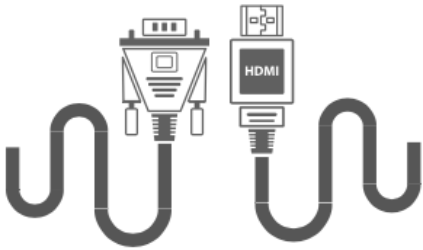
HDMI / VGA
You can then configure cameras, watch live views and search in recordings - directly on your NVR. It even comes with a mouse.

Hvor stor en harddisk skal jeg vælge?
Optagere leveres som udgangspunkt uden harddisk, for behovet er ikke det samme for alle.
Når du optager din videoovervågning, så er der flere ting der påvirker, hvor meget optagelserne fylder.
Helt oplagt så betyder antallet af kameraer, og deres opløsning meget - men din konfiguration, og hvor meget der sker foran kameraet, har også en betydning.
Udgangspunktet er, at man hellere skal optage en time for meget end et minut for lidt. Omvendt gider normalt kun nordmænd lave videoer, der viser at græsset gror.
Brug beregneren til at få en fornemmelse af dit pladsbehov. Synes du det er spændende, så læs lidt mere om pladsoptimering nederst på siden. Og har du vigtigere ting for - så bare ring til os...
1) Vælg kameraets opløsning...
2) Vælg antal kameraer...
3) Vælg størrelsen på harddisken...
4) Vælg antal timer med optagelse per dag... 6
1 time
24 timer
Resultat:
Lagringspladsen svarer til cirka timers videooptagelse.
Med 6 timers optagelse pr dag, kan du typisk gå dage tilbage i tid.1)
1) Værdierne er tilnærmede, og baseret på typiske indstillinger med 25 billeder i sekundet og h265 komprimering.