Uniview network keypad with joystick for controlling PTZ cameras
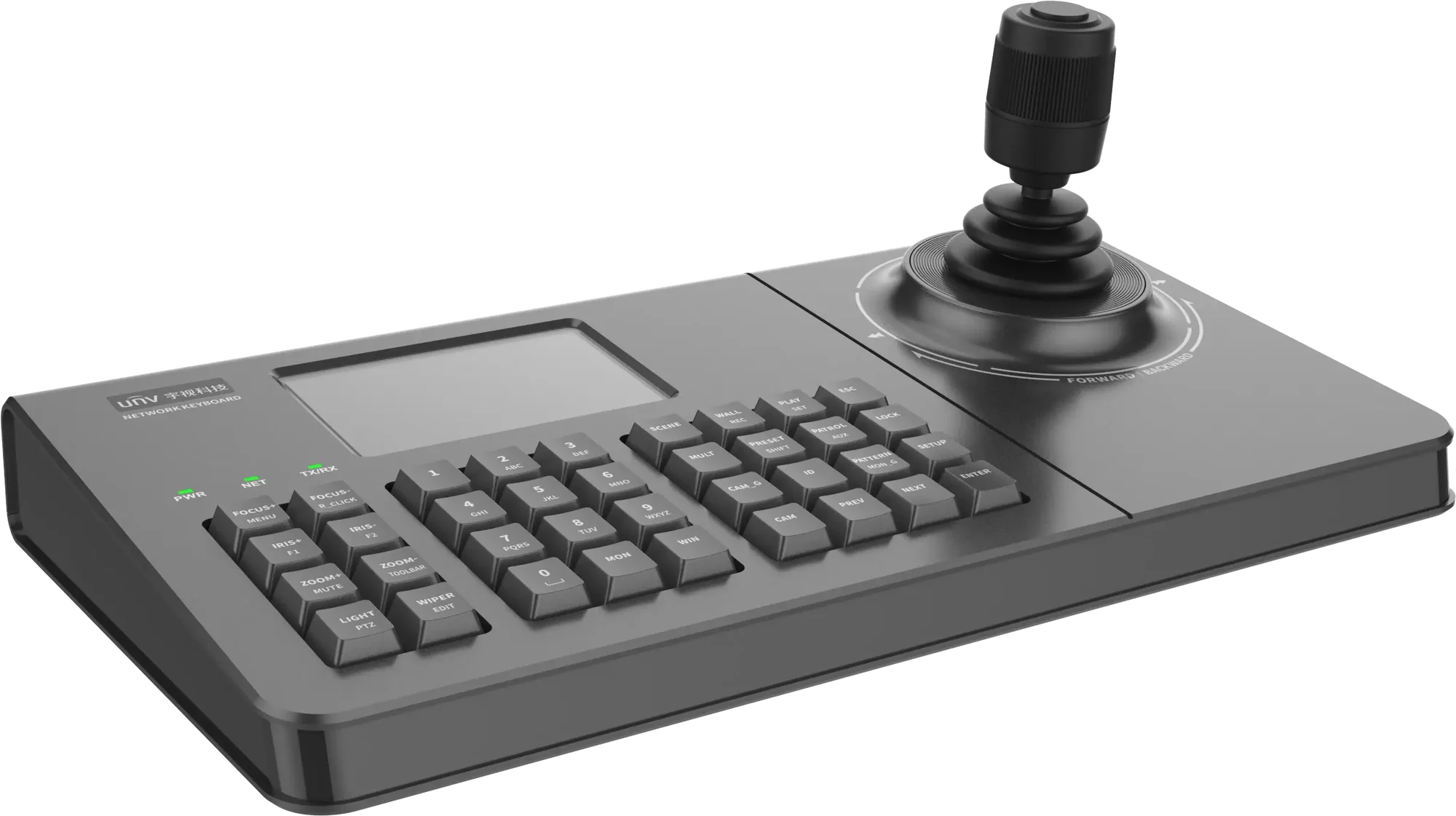
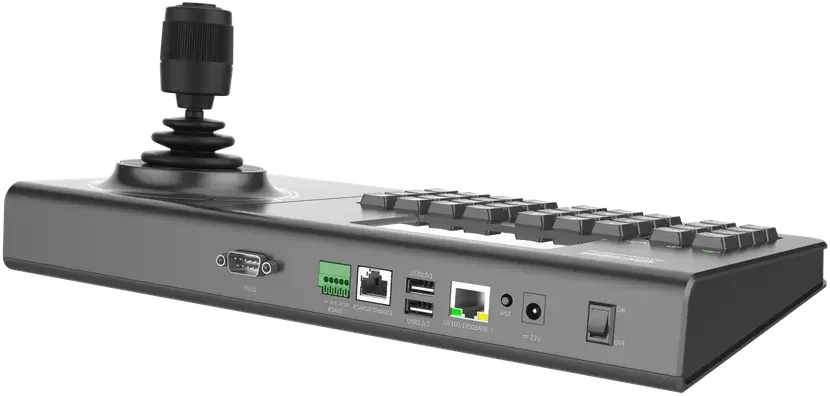


Control panel with joystick that makes it easy to operate PTZ and zoom cameras over the network
- Easy addition of PTZ/NVR/IP cameras via web or local panel
- Control of video walls and live playback, preview, alarm monitoring and snapshots directly from the keypad
- Snapshot with a double-click of the joystick button; switch between cameras (Prev/Next button)
- Power button on the unit
- Option to lock the keyboard
KB-1100-E is designed for control rooms, receptions, security centers and other installations where fast and precise camera control is required. The keypad gives the operator direct control over PTZ cameras and makes it possible to navigate the surveillance system without using a mouse and keyboard.
| Technical specifications | |
| Product type | Network keyboard for video wall and video control |
| Model | KB-1100-E |
| Display | 4-inch display screen |
| Joystick | 4D joystick for PTZ control Supports up, down, left and right movement Supports focus and zoom control |
| Joystick type | Hoare joystick with high control precision and stability |
| Control functions | PTZ control Video wall playback control Video control |
| Keyboard functions | Power on/off button on the keyboard Keyboard lock Simple keyboard configuration |
| User permissions | Supports multiple-level user permissions |
| Design | Simple appearance and button layout User-friendly design |
| Der tages forbehold for eventuelle fejl og ændringer i specifikationerne | |
There is no reviews yet. Be the first to write us your opinion
Keypad for controlling PTZ cameras
The keypad is equipped with a professional 4D joystick, allowing intuitive control of the camera's movements.
You can pan, tilt, zoom and focus directly from the joystick, providing faster and more precise control than operating with a mouse.
This is especially useful when monitoring larger areas where the operator needs to follow people, vehicles or incidents.
Built-in 4" display
The built-in 4" display gives a quick visual overview during system operation.
The screen shows relevant information and makes navigation clearer during daily use.
It helps speed up operation and improves overview of selected functions.
Video wall control
The keypad supports control of video walls and monitor solutions.
The operator can choose which cameras or video streams should be shown on the different screens.
That makes the keypad suitable for control rooms and monitoring centers with multiple displays.
Designed for daily use
The button layout is built with a focus on simple and fast operation.
Functions are easy to find, making it easier to work efficiently with the system throughout the workday.
The professional joystick mechanism is developed for many hours of daily use.
User permissions and security
The system supports multiple user permissions so different operators can be assigned different access levels.
In addition, a keyboard lock is supported to prevent unauthorized operation.
This can be relevant in environments where several people have access to the surveillance equipment.
For control rooms and larger installations
A network keypad like this is typically used in installations with many cameras or PTZ cameras.
It provides a faster workflow for the operator compared to relying only on a computer mouse and keyboard.
Especially during active monitoring, many users find that a dedicated keypad gives better control over the system.
Technical highlights
- 4" built-in display
- 4D joystick for PTZ control
- Pan, tilt, zoom and focus control
- Control of video walls
- Professional high-precision joystick
- Keyboard lock
- Multiple user permissions
- Power button on the unit
- Developed for Uniview surveillance systems