Uniview 4MP Owlview+ hybrid-turret VF mic/spk/light
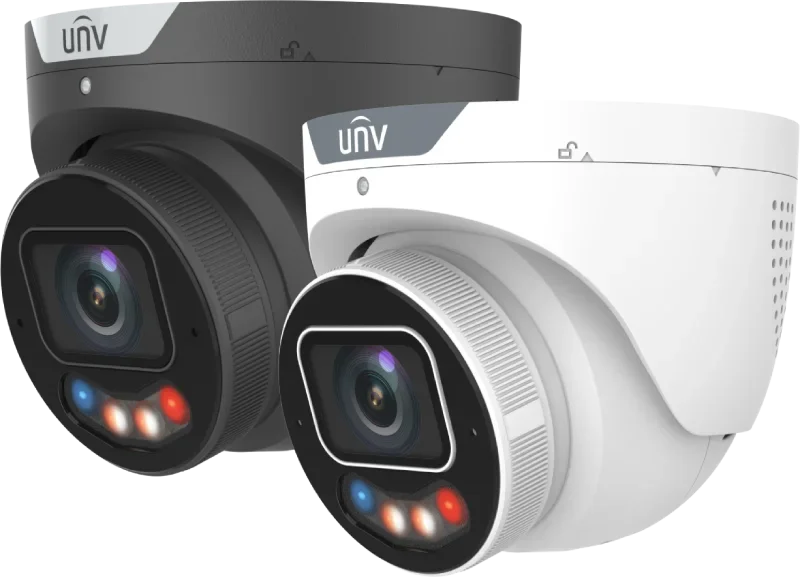
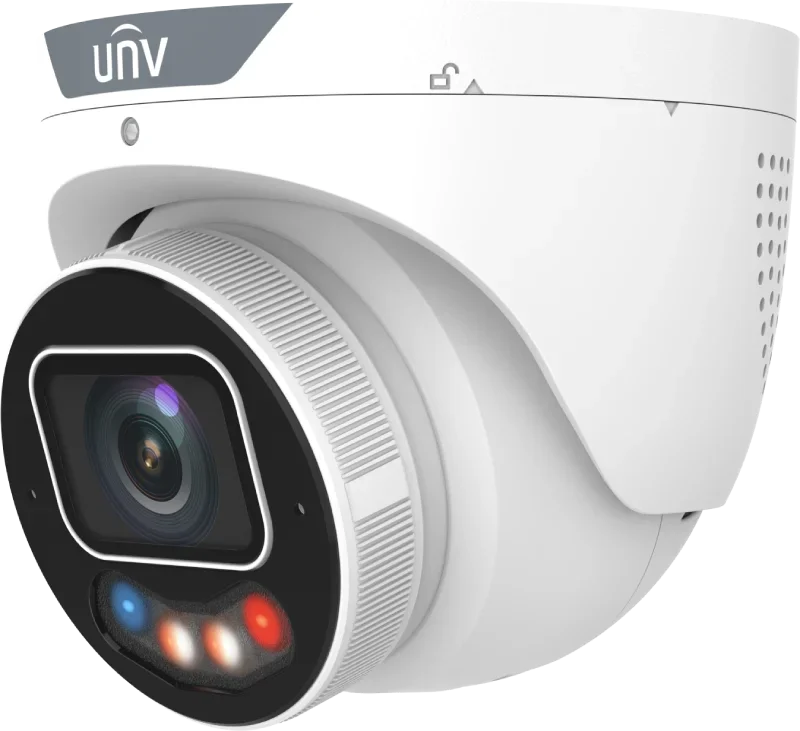
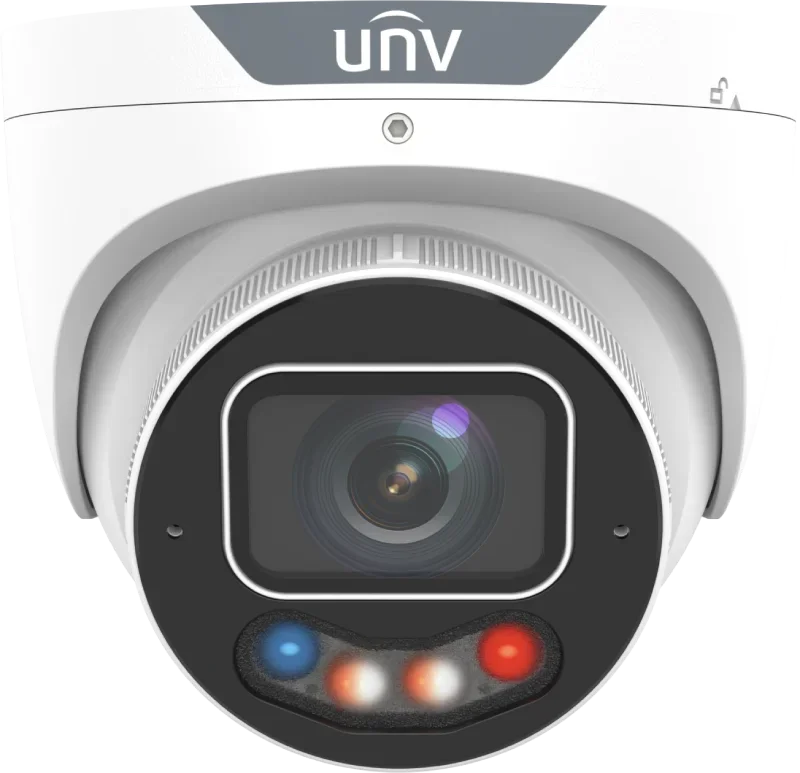
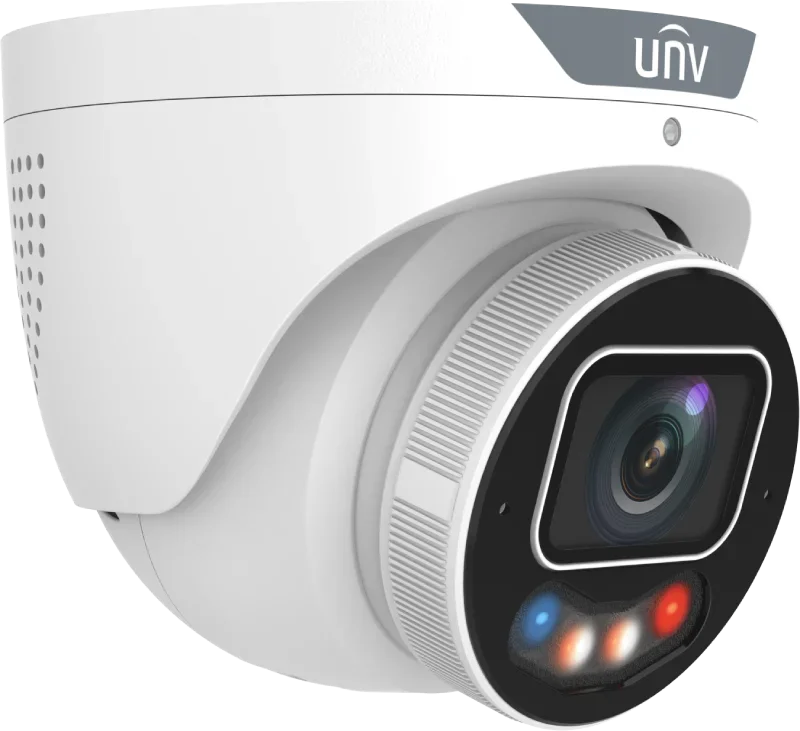
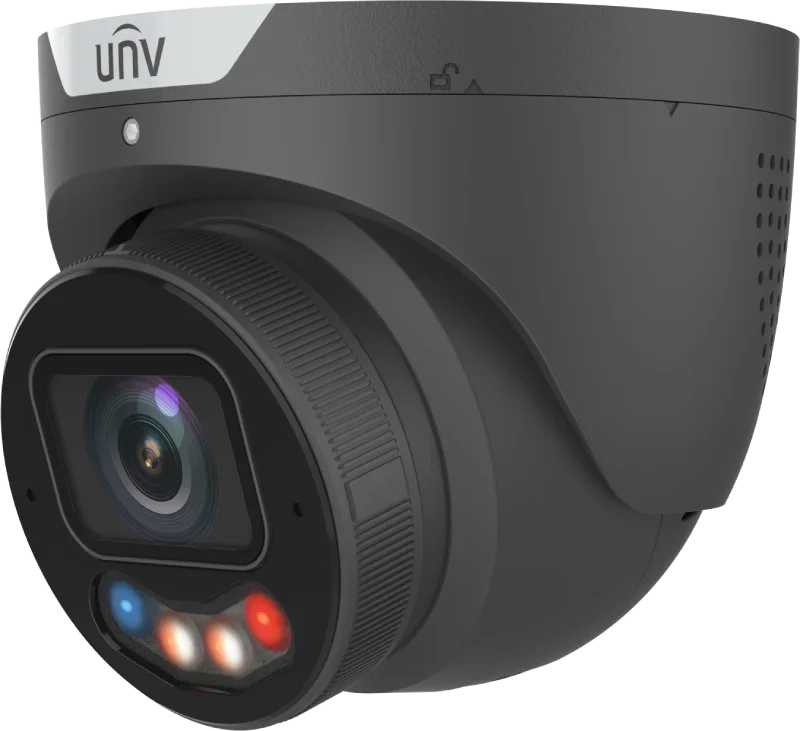
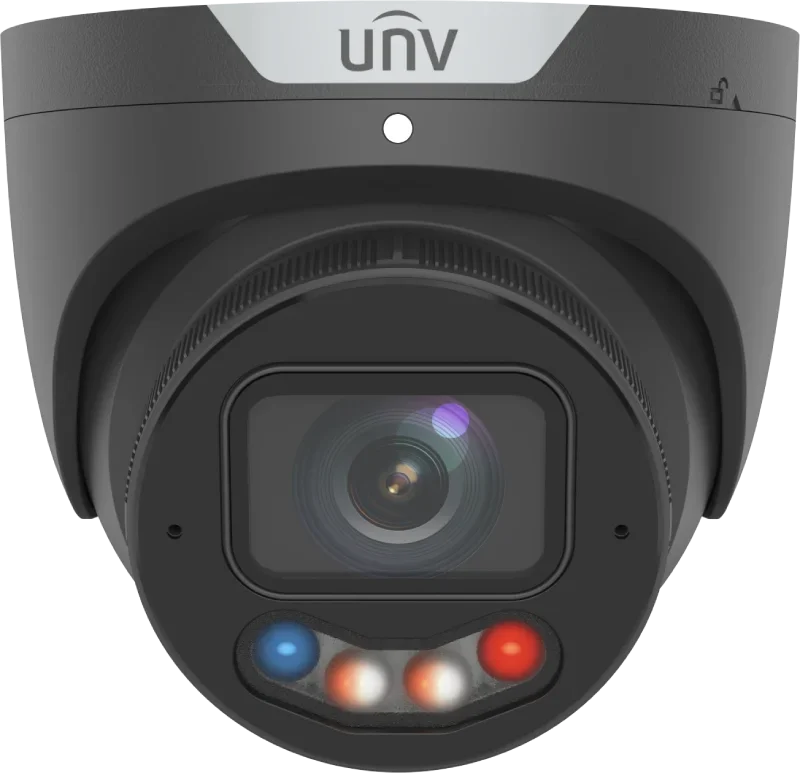
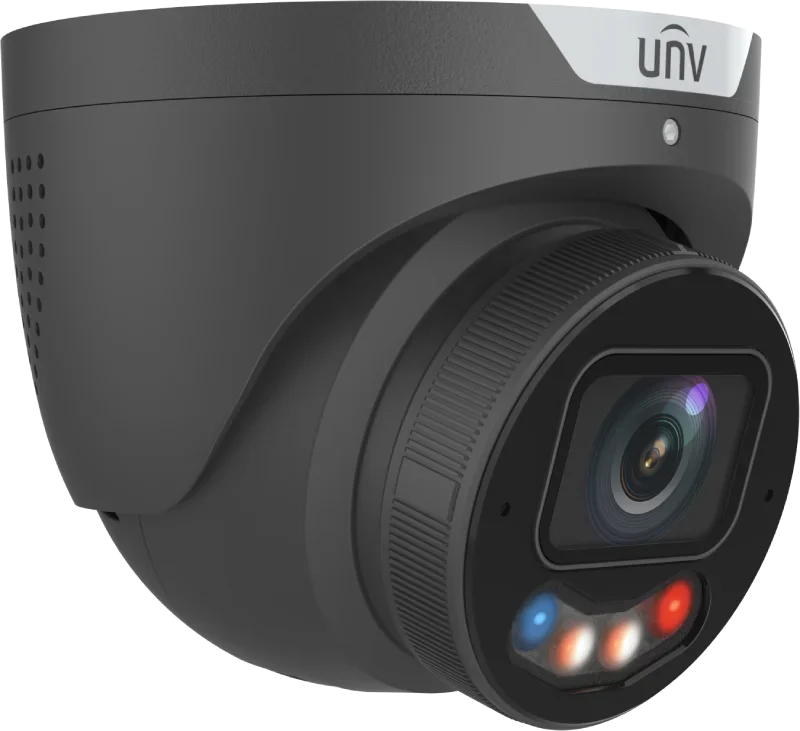


Next generation of Univiews advanced Tri-Guard cameras with motorized lens and hybrid light
- 4MP camera with large 1/1.8" sensor and F1.2 lens, delivering sharp and bright images
- motorized varifocal lens 2.8 to 12 mm — adjust the angle from approx. 113° to 55° directly from your phone or PC
- hybrid light with discreet IR and white LED light, up to 30 meters
- ColorHunter technology provides color images around the clock even in very low light
- smart recognition of people and vehicles reduces false alarms from things like leaves and rain
- people counting and crowd density measurement for statistics and overview
- built-in microphone and speaker plus alarm input and output
- can record to NVR or directly to SD card up to 512 GB
The camera can cover everything from broad overviews of larger areas to distant details, and with the motorized lens you can tailor it precisely to the task. If you're unsure which model to choose, this is one of the most flexible solutions in the series.
| Technical specifications | |
| Model | IPC3634SE-ADZKMC-WP-I1 |
| Product type | 4 MP Tri-Guard VF Dual-light Turret Network Camera |
| Maximum resolution | 4 MP |
| Image sensor | 1/1.8" CMOS |
| Minimum illumination | Color: 0.0005 Lux (F1.2, AGC ON) |
| Day/Night | IR-cut filter with automatic switching (ICR) |
| Shutter | Auto / Manual, 1 to 1/100000 s |
| Adjustment angle | Pan: 0°–360° / Tilt: 0°–78° / Rotate: 0°–360° |
| Signal-to-noise ratio | >56 dB |
| WDR | 130 dB True WDR |
| Corridor mode | 9:16 supported |
| Lens | |
| Lens type | Motorized varifocal |
| Focal length | 2.8–12 mm |
| Iris type | Fixed |
| Aperture | F1.2 |
| Horizontal field of view | 113.5°–54.6° |
| Vertical field of view | 61.6°–30.8° |
| Diagonal field of view | 131.1°–62.8° |
| DORI distance | |
| Detect | 43.4–186.2 m |
| Observe | 17.4–74.5 m |
| Recognize | 8.7–37.2 m |
| Identify | 4.3–18.6 m |
| Illuminator | |
| Supplemental light | Dual light |
| IR distance | Up to 30 m (98.4 ft) |
| Warm light distance | Up to 30 m (98.4 ft) |
| IR control | Auto / Manual |
| IR wavelength | 850 nm |
| White light control | Auto / Manual |
| Smart IR | Supported |
| Full-color imaging | ColorHunter with Wise-ISP technology |
| Video | |
| Video compression | Ultra 265 / H.265 / H.264 / MJPEG |
| H.264 profiles | Baseline Profile / Main Profile / High Profile |
| Main stream | 4 MP (2688 × 1520) up to 30 fps / 4 MP (2560 × 1440) up to 30 fps / 3 MP (2304 × 1296) up to 30 fps / 1080P (1920 × 1080) up to 30 fps / 720P (1280 × 720) up to 30 fps |
| Sub stream | 1080P (1920 × 1080) up to 30 fps / 720P (1280 × 720) up to 30 fps / D1 (720 × 576) up to 30 fps / 640 × 360 up to 30 fps / 2CIF (704 × 288) up to 30 fps / CIF (352 × 288) up to 30 fps |
| Third stream | D1 (720 × 576) up to 30 fps / 640 × 360 up to 30 fps / 2CIF (704 × 288) up to 30 fps / CIF (352 × 288) up to 30 fps |
| Video streams | Triple streams |
| Video bitrate | 128 Kbps–16 Mbps |
| U-code | Supported |
| OSD | Up to 8 OSDs |
| Privacy mask | Up to 4 areas |
| ROI | Supported |
| Image | |
| Auto Scene Match (ASM) | Supported |
| White balance | Auto / Outdoor / Fine Tune / Sodium Lamp / Locked / Auto2 |
| Digital noise reduction | 2D / 3D DNR |
| Flip | Normal / Flip Vertical / Flip Horizontal / 180° / 90° Clockwise / 90° Anti-clockwise |
| Dewarping | Not supported |
| HLC | Supported |
| BLC | Supported |
| Defog | Digital Defog |
| Intelligent analytics | |
| Smart Intrusion Prevention | Supported |
| Cross line detection | Supported |
| Intrusion detection | Supported |
| Enter area detection | Supported |
| Leave area detection | Supported |
| Target classification | Human / Motor vehicle / Non-motor vehicle |
| False alarm filtering | Supported; reduces false alarms caused by objects such as leaves, birds and lights |
| Color retrieval | Smart Intrusion Prevention with color retrieval |
| People counting | People flow counting supported |
| Crowd density monitoring | Supported |
| Attribute collection | SIP with color retrieval |
| Events & general functions | |
| Motion detection | Supported |
| Ultra motion detection | Supported |
| Tampering alarm | Supported |
| Audio detection | Supported |
| Object removed | Supported |
| Object left behind | Supported |
| Watermark | Supported |
| IP address filtering | Supported |
| Access policy | Supported |
| ARP protection | Supported |
| RTSP authentication | Supported |
| User authentication | Supported |
| HTTP authentication | Supported |
| Alarm input | Supported |
| Alarm output | Supported |
| Audio | |
| Built-in microphone | Dual microphone |
| Built-in speaker | Supported |
| Two-way audio | Supported |
| Audio compression | G.711U / G.711A |
| Audio bitrate | 64 Kbps |
| Audio suppression | Supported |
| Sampling rate | 8 kHz |
| Audio input | 1 input; impedance 35 kΩ; amplitude 2 V [p-p] |
| Audio output | 1 output; impedance 600 Ω; amplitude 2 V [p-p] |
| Storage | |
| Edge storage | MicroSD card, up to 512 GB |
| Network storage | ANR / NAS (NFS) |
| Network | |
| Ethernet | 1 × RJ45 10/100 Base-TX Ethernet |
| Protocols | IPv4, IPv6, IGMP, ICMP, ARP, TCP, UDP, DHCP, PPPoE, RTP, RTSP, RTCP, RTMP, DNS, DDNS, NTP, UPnP, HTTP, HTTPS, SMTP, 802.1X, SNMP, QoS, SSL/TLS, SSH |
| ONVIF | Profile S / Profile G / Profile T / Profile M |
| Other integration | API / SDK |
| Users | Up to 32 users |
| User levels | Administrator / Common user / Operator |
| Security | TLS 1.2, DTLS 1.2, certificate management, brute force protection, strong password, OTP, port security, MAC filtering, IP filtering, digital watermarking, encrypted configuration storage and export, HTTPS, Secure Boot, firmware encryption, Gateway ARP Binding, RTP/RTSP over HTTPS, audit logs, protected shell, session timeout, signed firmware, 802.1X authentication, WSSE and digest authentication for ONVIF, password protection, HTTP and RTSP authentication |
| Client software | EZStation / APP |
| Wi-Fi | Not supported |
| Web browser | |
| Plug-in required live view | IE 10+ / Chrome 45+ / Firefox 52+ / Edge 79+ |
| Plug-in free live view | Chrome 57+ / Firefox 58+ / Edge 16+ |
| Web client languages | 20 languages: Traditional Chinese, English, Simplified Chinese, Polish, German, Russian, French, Korean, Dutch, Czech, Portuguese (Europe), Portuguese (Brazil), Japanese, Thai, Turkish, Spanish (Latin America), Spanish (Europe), Hungarian, Italian, Vietnamese |
| Interfaces | |
| Audio I/O | 1 input / 1 output |
| Alarm I/O | 1 input / 1 output |
| Serial port | Not supported |
| Video output | Not supported |
| Reset button | Supported |
| Power supply | |
| Power supply | 12 V DC ±25% / PoE (IEEE 802.3af) |
| Maximum power consumption | 5.0 W |
| Power interface | Ø5.5 mm coaxial power plug |
| Physical specifications | |
| Dimensions | Ø129 × 110 mm (Ø5.1" × 4.3") |
| Weight | 0.85 kg (1.87 lb) |
| Material | Metal |
| Protection class | IP67 (IEC 60529) |
| Vandal resistance | IK10 (IEC 62262) |
| Enclosure rating | NEMA 4X |
| Surge protection | 4 kV |
| Environment | |
| Operating temperature | –40 °C to +60 °C |
| Operating humidity | ≤95% RH, non-condensing |
| Storage temperature | –40 °C to +60 °C |
| Storage humidity | ≤95% RH, non-condensing |
| Certification | |
| EMC | CE-EMC (EN 55032, EN 61000-3-3, EN IEC 61000-3-2, EN 50130-4) / FCC (FCC 47 CFR Part 15 B) |
| Safety | CE-LVD (EN 62368-1) / UL/CUL (UL 62368-1, CAN/CSA C22.2 No. 62368-1) |
| Environmental compliance | CE-RoHS (2011/65/EU, (EU) 2015/863) / WEEE (2012/19/EU) |
| Compatible accessories | |
| TR-JB03-H-IN-V2 | Junction Box for Metal Turret Camera, supports wiring from behind |
| TR-A01-IN | NPT 3/4" Waterproof Cable Gland |
| TR-JB07/WM03-F-IN-V2 | Wall Mounting Assembling Bracket with Back Hole for 3 Inch Hemisphere |
| TR-UC08-C-V2 | Bullet & Dome Corner Mounting Bracket |
| TR-WM03-B-IN-V2 | Wall Mounting Assembling Bracket for 3 Inch Hemisphere |
| TR-SE24-IN | Dome Pendant Mounting Pole, 200 mm |
| TR-CM24-IN | Dome Pendant Mounting Bracket, indoor |
| TR-SE24-A-IN | Dome Pendant Mounting Pole, 500 mm |
| TR-JB03-J-IN | Junction Box for Metal Turret Camera, supports wiring from behind |
| TR-UP06-C-IN-V2 | Pole Mounting Bracket for Bullet Junction Box Only |
| Der tages forbehold for eventuelle fejl og ændringer i specifikationerne / Specifications are subject to change without notice. Errors and omissions excepted. | |
There is no reviews yet. Be the first to write us your opinion
Den professionelle måde at levere strøm, til et PoE-kamera, er gennem netværkskablet.
På den måde behøver man kun at trække et enkelt kabel til hvert kamera - og skal ikke døje med 230V og små strømforsyninger.
Strømmen til kameraet leveres gennem netværkskablet fra enten...
- en optager med indbygget PoE, også kaldet NVR. Et typisk valg for installationer op til og med 8 kameraer.
- en PoE-switch. Populært fortalt en fordelerdåse til netværkskabler. Det typiske valg på store installationer eller hvis man ønsker fleksibel kabelføring.
- en PoE-injector. Kan kun levere strøm til et kamera.
Af samme grund følger der ikke strømforsyning med PoE-kameraer. Du kan bestille en klassisk strømforsyning her, hvis du ikke ønsker at benytte PoE.
Efficient 4MP Tri Guard camera that works for most tasks thanks to its adjustable motorized lens
This camera is one of the types many installers choose when they want to be covered for as many tasks as possible. You can zoom all the way out for an overview, and zoom in when you want to get closer to distant details. The motorized lens can be adjusted directly from your phone or PC, so you can fine-tune the field of view without having to manually turn the lens.
Turret camera
A turret camera is a great choice for both indoor and outdoor use. It's compact like a dome camera but without a glass dome in front of the lens. That means you'll typically get a more stable night image and less maintenance, because dust and dirt don't as easily cause glare from lights at night.
For outdoor installation, a turret is often one of the best choices, especially when the camera is mounted at a height where you want to avoid having to clean it frequently.
Motorized varifocal lens, adjust the angle from 2.8 to 12 mm
A motorized varifocal lens means you can change the camera's field of view to precisely match the area you want to monitor. On this model you can adjust from 2.8 mm, which gives a wide-angle overview, up to 12 mm, which brings you closer and provides more detail at a distance.
You adjust zoom and focus in the software, so once the camera is pointed correctly you can sit with your phone or computer and fine-tune the image. In the datasheet you can see the field of view listed in degrees — about 113.5° at wide angle and down to about 54.6° when you zoom in.
Once you've set the lens on installation day, there's usually nothing more to do unless the camera is moved or the area changes.
“When you choose a camera with a motorized lens, you always have the option to adapt the angle to the task without having to climb a ladder again”
Motion detection
The camera can detect motion, and you can choose which areas in the image should trigger a response. That means you can exclude, for example, a road, trees, or a busy area, and instead focus on a driveway, gate, door, or storage area.
Motion detection can start recordings and send alerts, but in practice you'll usually get the most value from using the camera's intelligent functions because they can better distinguish between relevant and irrelevant events.
Smart rules, lines and zones
The camera supports intelligent perimeter rules, where you can draw a line or an area in the image and get an event when someone crosses the line or enters the zone. It can be used for everything from driveways and gates to areas around doors, fences and loading zones.
Because the camera uses target classification, it can in many cases filter out noise from things like leaves, small animals and changing light, and instead focus on people and vehicles. That makes it easier for you to find the right clips in the recordings.
Person and vehicle detection
The camera can recognize whether a moving object looks like a person or a vehicle. That means you can create rules that only trigger an alarm for people, or only for cars, depending on what you want to protect. It's especially useful outdoors, where ordinary motion detection can otherwise produce many unnecessary events.
Once you've filtered events correctly, your history becomes more manageable and you spend less time reviewing irrelevant footage.
People counting and crowd density measurement
If you need statistics, the camera can count people passing a point, and it can give an overview of how many people are in an area. This can be relevant in stores, entrances, receptions, canteens or places where you want to track flow and load over time.
You can use the data to see busy times, staffing needs or general patterns, without having to count manually.
High-contrast image, 130 dB WDR
When there are big differences between light and shadow — for example at a gate with backlight or an area with strong lamps — WDR helps the camera capture both bright and dark areas. That makes it easier for you to see faces and details, even when the lighting is challenging.
Color at night, IR and white light — you choose
The camera has both IR illumination and warm white LED light, and you can choose how the night image should work. IR gives a discreet night image that isn't visible to the naked eye, while white light gives color at night so you get more details like clothing and car colors.
You can also use a setting where the camera intelligently manages the light so the night image looks as natural as possible in the given situation.
Built-in audio, microphone and speaker, plus alarm input and output
The camera has built-in audio so you can record sound along with video, and you can listen in during live view. In addition, the camera can use the speaker for two-way communication if you want to speak through the camera.
Alarm input and output make it possible to connect the camera to other equipment. This could be a contact, a sensor or a relay, where the camera can either receive a signal or send a signal to an external device depending on the setup.
Recording to NVR and SD card
The camera can record to a network video recorder, and it can also record directly to a microSD card up to 512 GB. That gives you flexibility if you want to run the camera standalone, or if you want extra assurance that recordings are stored locally if the network is down for a period.
Mobile access
You can access the camera from mobile, tablet and PC via Univiews app and software. That makes it easy to view live, find recordings and share relevant clips when you need them.
Technical key points
- 4MP (2688 × 1520) up to 30 fps
- 1/1.8" CMOS sensor, high light sensitivity, 0.0005 lux (F1.2, AGC ON)
- Motorized varifocal lens 2.8 to 12 mm, field of view approx. 113.5° to 54.6°
- Aperture F1.2
- Tri Guard, dual light, IR and warm white light, up to 30 m
- 130 dB true WDR
- Intelligent perimeter, line crossing, intrusion, enter area, leave area, with target classification (person, vehicle, non motor vehicle)
- People counting, people flow, crowd density
- ASM, Auto Scene Match
- Video compression Ultra 265, H.265, H.264, MJPEG
- Triple stream
- Built-in dual mic and speaker
- Alarm I, O 1, 1, audio I, O 1, 1
- MicroSD up to 512 GB
- IP67 and IK10
- Power via PoE (802.3af) or 12V DC
Den professionelle måde at levere strøm, til et PoE-kamera, er gennem netværkskablet.
På den måde behøver man kun at trække et enkelt kabel til hvert kamera - og skal ikke døje med 230V og små strømforsyninger.
Strømmen til kameraet leveres gennem netværkskablet fra enten...
- en optager med indbygget PoE, også kaldet NVR. Et typisk valg for installationer op til og med 8 kameraer.
- en PoE-switch. Populært fortalt en fordelerdåse til netværkskabler. Det typiske valg på store installationer eller hvis man ønsker fleksibel kabelføring.
- en PoE-injector. Kan kun levere strøm til et kamera.
Af samme grund følger der ikke strømforsyning med PoE-kameraer. Du kan bestille en klassisk strømforsyning her, hvis du ikke ønsker at benytte PoE.