Ajax KeyPad TouchScreen - Wireless control panel with touchscreen
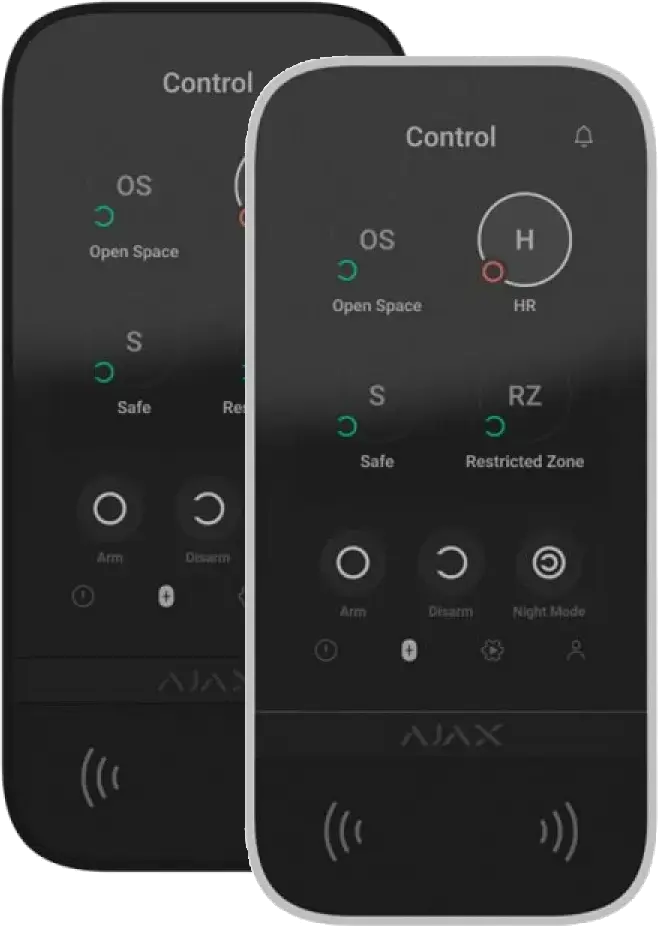
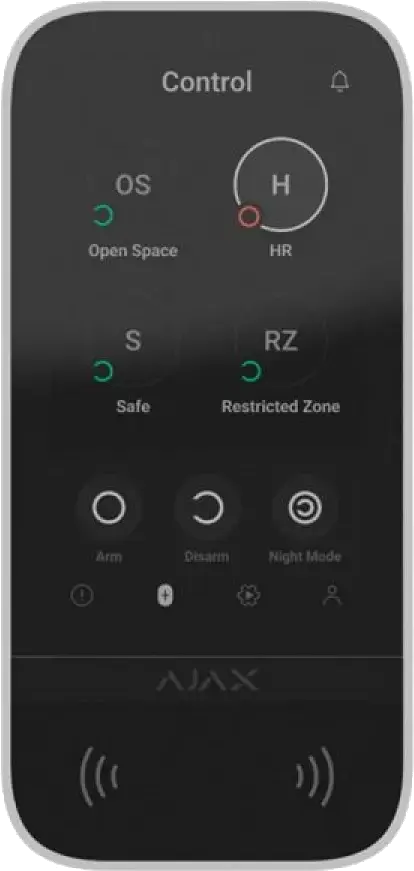
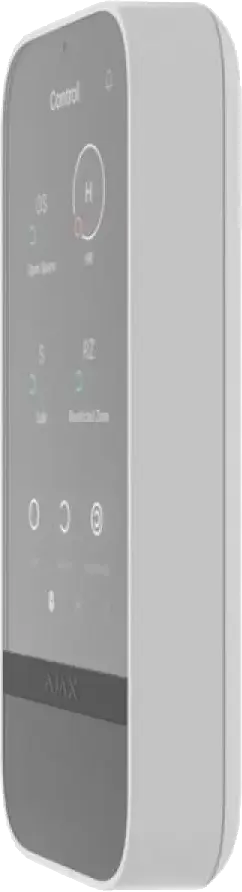
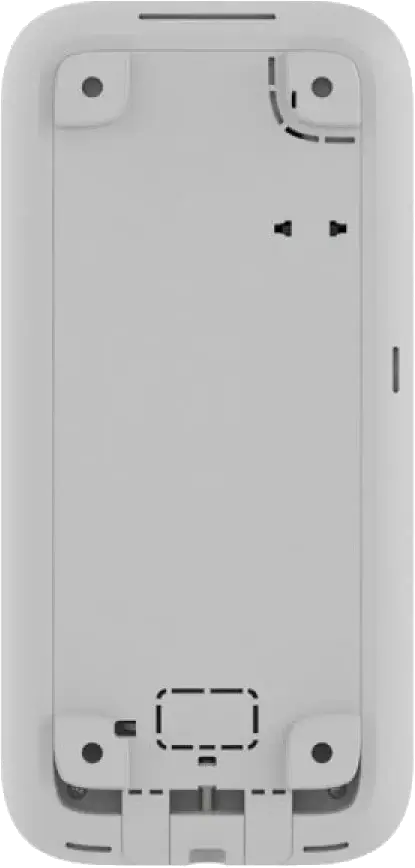
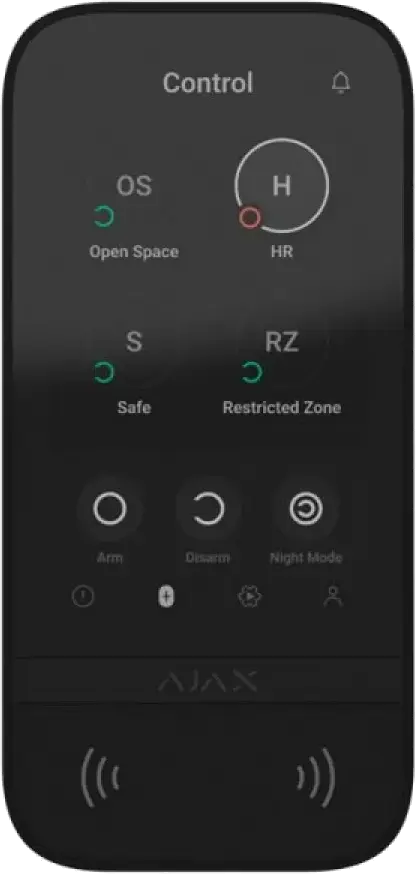
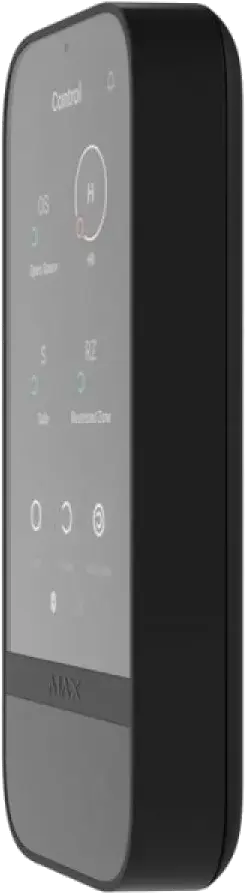
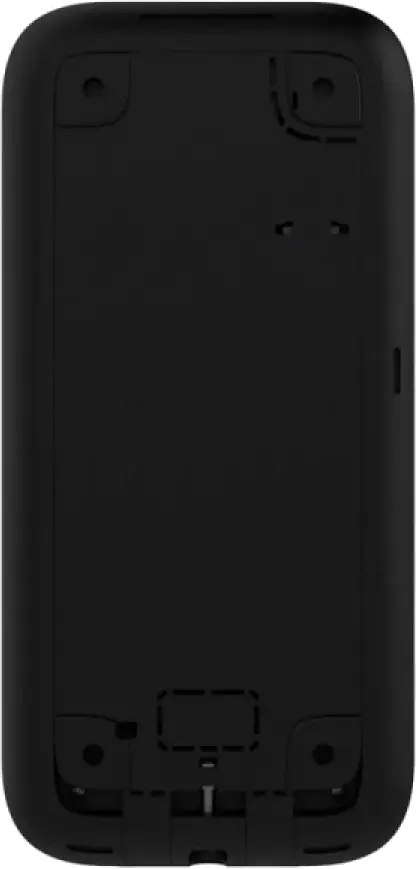


Ajax KeyPad TouchScreen – Wireless control panel with screen, code, card, fob and smartphone access
- Wireless control panel with a 5-inch touchscreen
- You can arm and disarm the alarm directly on the screen
- Supports code, Ajax Pass, Ajax Tag and smartphone access
- Displays system status, groups and recent events
- Can control automations in the Ajax system
- Options for panic, fire and help alarms directly from the keypad
- Backlight adjusts automatically to the surroundings
- Can be powered by batteries or an external 12 V power supply
- Anti-tamper detects if the device is removed
- Suitable for home, office, shop and commercial use
Ajax KeyPad TouchScreen is a wireless control panel for Ajax alarm systems. The keypad has a 5-inch touchscreen where you can control the alarm, view system status, manage groups and access recent events. You can use a code, access card, access fob or smartphone to operate the system.
| Technical specifications | |
| Product type | Wireless keypad with touch screen for Ajax security systems |
| Compatibility | Compatible with Ajax hubs and radio signal range extenders Supports Pass, Tag, smartphones, and access codes |
| Display | 5″ touch screen IPS matrix Resolution 480 × 854 px Capacitive sensor Automatic and manual brightness adjustment Backlight lifetime up to 30,000 hours |
| User interface | Dark and light themes 32 interface languages Displays recent system events directly on the keypad screen |
| Control | Security mode management Group management Night mode Automation device control Scenarios management |
| Authentication methods | Access codes Tag key fobs Pass cards Smartphone via Bluetooth Low Energy |
| Contactless access | DESFire® EV1 and EV2 ISO 14443-A, 13.56 MHz |
| Smartphone authentication | Bluetooth Low Energy Supports Android and iOS smartphones with BLE 4.2 or later |
| Access codes | Up to 200 personal codes 1 keypad code per device Up to 99 codes for unregistered users Number depends on hub model |
| Duress codes | Up to 200 personal duress codes 1 keypad duress code per device Number depends on hub model |
| Panic buttons | Panic Fire Auxiliary help Sent from a separate keypad tab |
| Automation control | Separate keypad tab with up to 6 buttons Each button can control one automation device or a group of devices |
| Event log | Displays up to 100 latest system events since last check |
| Indication and sound | Display indication Logo indication Built-in buzzer for alarms, door openings, and entry/exit delays |
| Sensors | Light sensor for automatic brightness adjustment Proximity sensor for automatic screen wakeup |
| Communication technology | Jeweller for commands, alarms, and events Wings for transferring groups, rooms, and detector malfunction lists Two-way communication Block encryption with dynamic key Frequency hopping against interception and jamming |
| Frequency bands | 866.0–866.5 MHz 868.0–868.6 MHz 868.7–869.2 MHz 905.0–926.5 MHz 915.85–926.5 MHz 921.0–922.0 MHz Depends on sales region |
| Radio signal range | Up to 1700 m in open space |
| Maximum effective radiated power | Up to 20 mW |
| Radio signal modulation | GFSK |
| Security features | Arming without entering a code User pre-authorization Fire alarm muting Device authentication against spoofing Protection from copying access devices |
| Sabotage protection | Unauthorized access auto-lock Tamper alarm on removal from surface or mounting panel Holding screw for secure fastening |
| Communication loss detection | After 36 seconds Detection time depends on Jeweller or Jeweller/Fibra settings |
| Firmware update | Remote firmware update via Ajax apps Requires external power supply |
| Installation | Designed for indoor use only SmartBracket mounting panel Holding screw included |
| Power supply | 6 × AA batteries Pre-installed Type C |
| Battery life | Up to 1.5 years with default settings and up to 4 interactions per day |
| External power supply | 10.5–14 V DC, up to 0.4 A Batteries serve as backup when external power is connected |
| Operating voltage | 12 V nominal with external power supply |
| Current consumption | Quiescent current 46 μA at nominal voltage Maximum current 1.5 mA at nominal voltage |
| Battery capacity | 2650 mAh End-of-life battery capacity 350 mAh |
| Battery voltage thresholds | Low battery voltage 6.6 V Low battery recovery voltage 8.1 V End-of-life battery voltage 4.92 V |
| Operating temperature | From −10 °C to +40 °C |
| Operating humidity | Up to 75% |
| Dimensions | 172 × 82 × 26 mm |
| Weight | 327 g |
| Colours | Black White |
| Package contents | KeyPad TouchScreen Jeweller SmartBracket mounting panel 6 × AA batteries Installation kit Quick start guide |
| Warranty | 24 months |
| Reservations are made for possible errors and changes in the specifications | |
There is no reviews yet. Be the first to write us your opinion
Here you can see the compatibility between the various units and Hubs from Ajax
https://ajax.systems/tools/devices-compatibility/
Ajax KeyPad TouchScreen
Ajax KeyPad TouchScreen gives you a clearer way to control the alarm system. Instead of only using buttons, you get a screen with a clear display of alarm status, groups, access options and system events. That makes operation easier for private users, staff and installers.
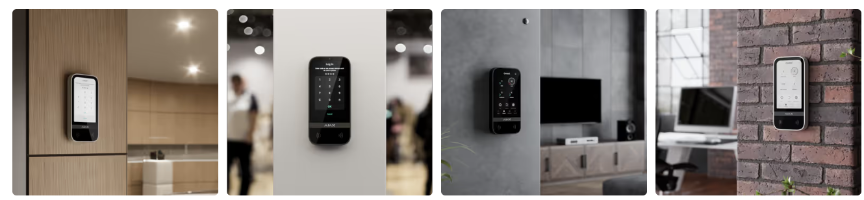
5-inch touchscreen
The control panel features a 5-inch IPS touchscreen with high resolution. The screen shows alarm status, groups, events and control options directly on the device. This makes it easy to see whether the system is armed, disarmed or if something requires attention.
Access with Pass, Tag and smartphone
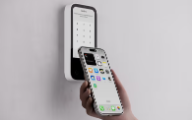
KeyPad TouchScreen supports contactless access with Ajax Pass cards and Ajax Tag fobs. You can also use an authorized smartphone with the Ajax app via Bluetooth. This gives users multiple ways to operate the system without having to enter a code every time.
It has a lot of great features. For example, you can use your smartphone as a card or fob with the Ajax app.
Control with a code
You can arm and disarm the alarm system by entering a passcode on the screen. The system supports personal codes, a shared code and codes for users without a profile. This makes it easy to grant access to employees, cleaning staff, tradespeople or other temporary users.
Control of groups and night mode
From the screen you can control the entire alarm system or selected groups. This is useful in buildings with multiple areas where not all zones should be armed at the same time. You can also activate night mode directly from the control panel.
Display of recent events
KeyPad TouchScreen can show the most recent events directly on the screen. You can quickly see what has happened in the system without having to open the app first. This can include alarms, arming, disarming or system messages.
Control of automations
The control panel can also be used to manage automations in the Ajax system. For example, you can control relays, switches, lights or other functions directly from the screen. This makes the device useful as a central control point in the building.
Panic buttons on the screen
KeyPad TouchScreen offers the option of panic buttons on a separate tab. Here you can trigger a panic alarm, fire alarm or help alarm depending on how the system is configured. The function can be used in both residential and commercial settings where quick manual alarm activation is important.
Duress code for coercion
If a user is forced to disarm the alarm, a special duress code can be entered. The system will appear to be disarmed normally, but will simultaneously send a hidden alarm to users or the monitoring station.
Automatic screen wake and brightness control
The screen can wake automatically when you approach the keypad. The built-in light sensor can adjust brightness according to the surroundings so the screen is clear during the day and not blinding in the dark.
Stable wireless communication
KeyPad TouchScreen communicates wirelessly with the Ajax hub. The system continuously monitors the connection so you are notified if the connection is lost or if errors occur.
External power or battery operation
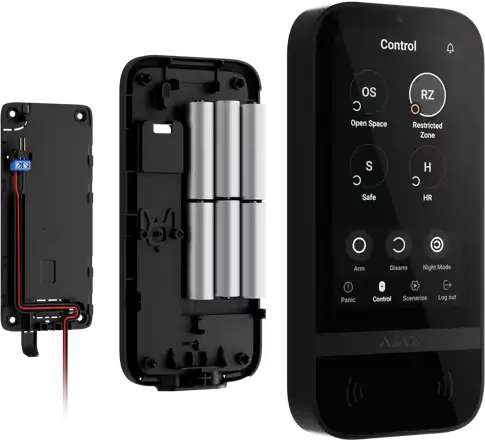
The control panel can run on the included batteries or be connected to an external 12 V power supply. When using external power, the batteries function as a backup. This provides flexibility for both simple wireless installations and fixed installations where you want stable power.
The control panel uses 6 standard AA batteries, but also offers the option to connect to 12 V.
Tamper protection
The device includes tamper protection that detects if someone tries to remove the keypad from the wall or take it off the mounting bracket. If that happens, the system immediately sends a notification.
Accessories
Ajax KeyPad TouchScreen comes with the SmartBracket mounting bracket, installation materials and preinstalled batteries. Ajax Pass cards and Ajax Tag fobs for contactless access are sold separately.
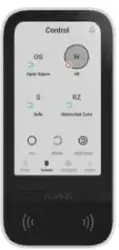
You can also switch the display color theme between black and white
Key technical points
- Type: Wireless control panel with touchscreen
- Display: 5-inch IPS touchscreen
- Resolution: 480 × 854 px
- Control: Code, Pass card, Tag fob and smartphone
- Contactless access: DESFire EV1 / EV2, ISO 14443 A, 13.56 MHz
- Personal access codes: Up to 200
- Codes for unregistered users: Up to 99
- Panic buttons: Panic, fire and help alarm
- Automation: Up to 6 buttons to control devices or groups
- Wireless range: Up to 1,700 m in open space
- Battery: 6 × AA
- Battery life: Up to 1.5 years
- External power supply: 12 V DC, up to 0.4 A
- Tamper protection: Tamper against removal
- Operating temperature: −10 °C to +40 °C
- Humidity: Up to 75%
- Dimensions: 172 × 82 × 26 mm
- Weight: 327 g
- Colors: White, black