Uniview 6MP smart-turret IR mic/spk/light
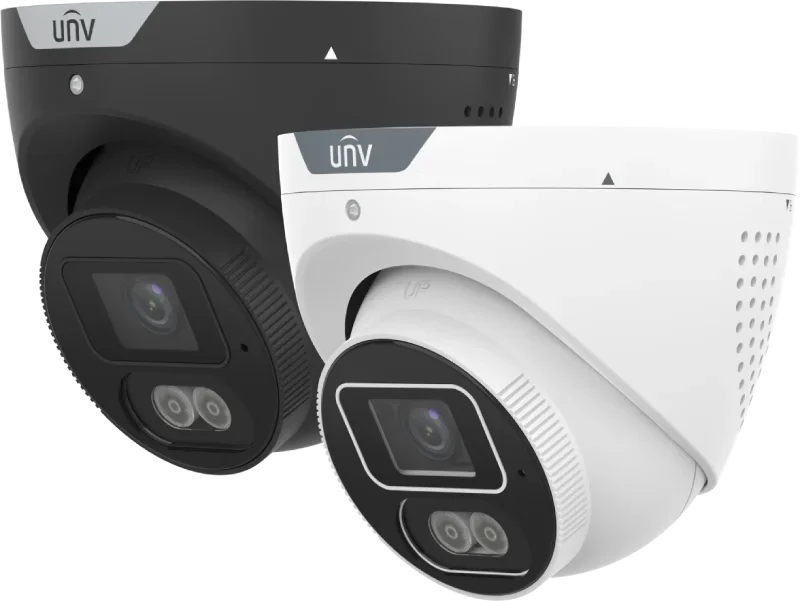
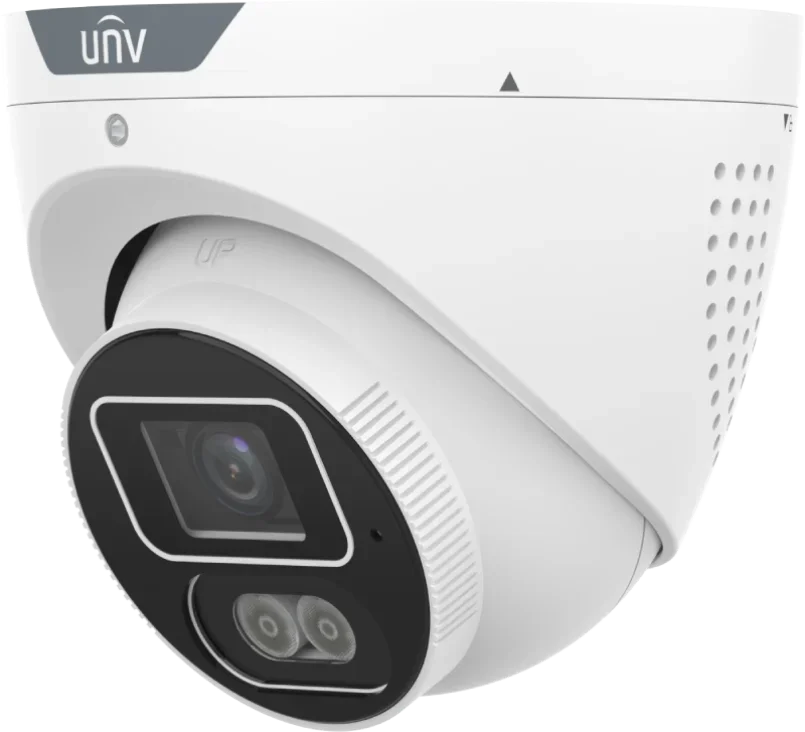
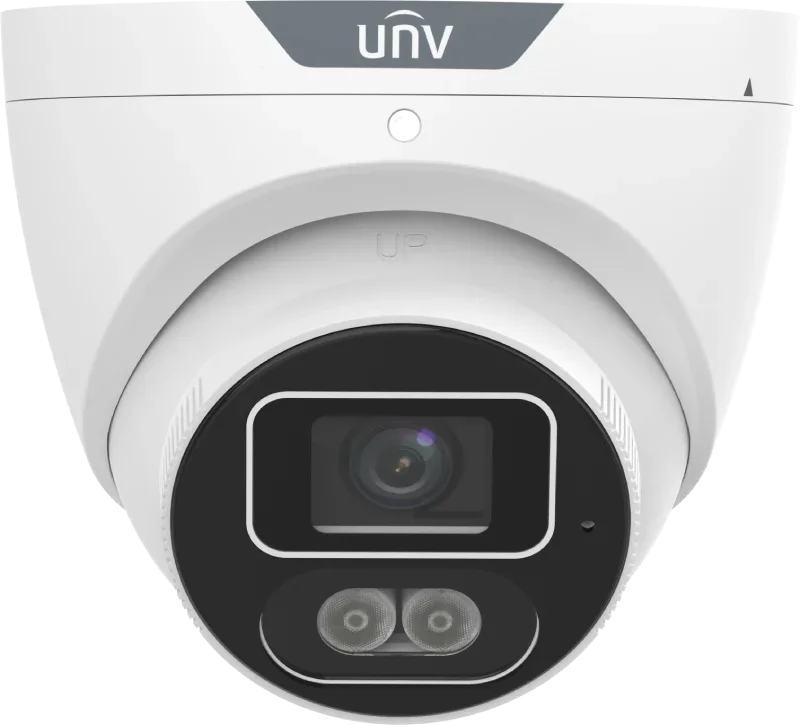
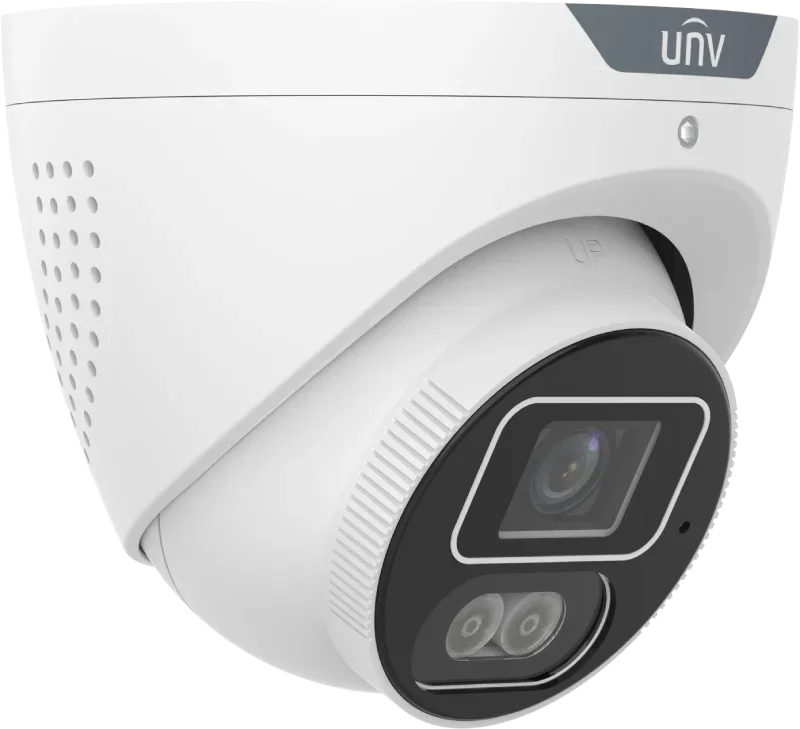
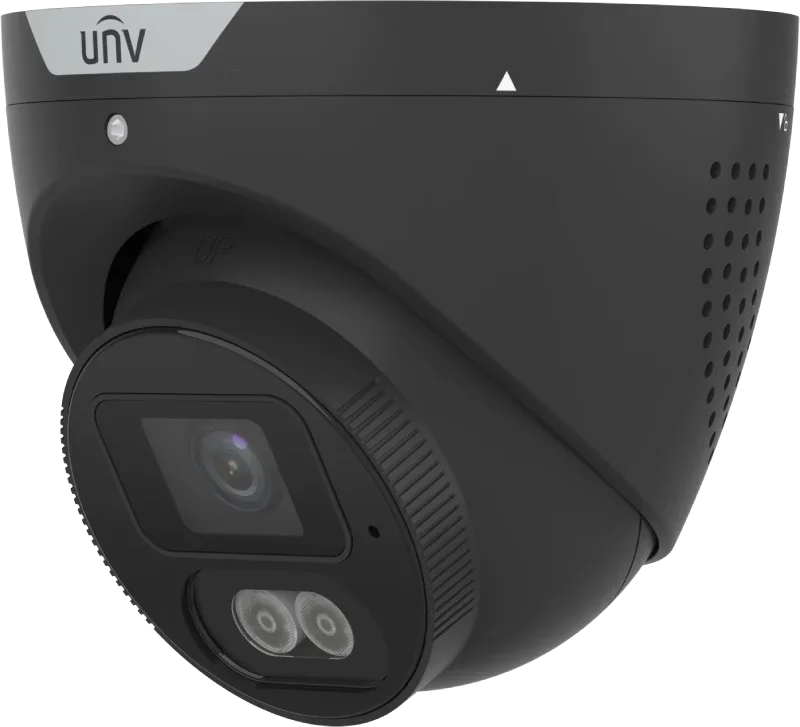
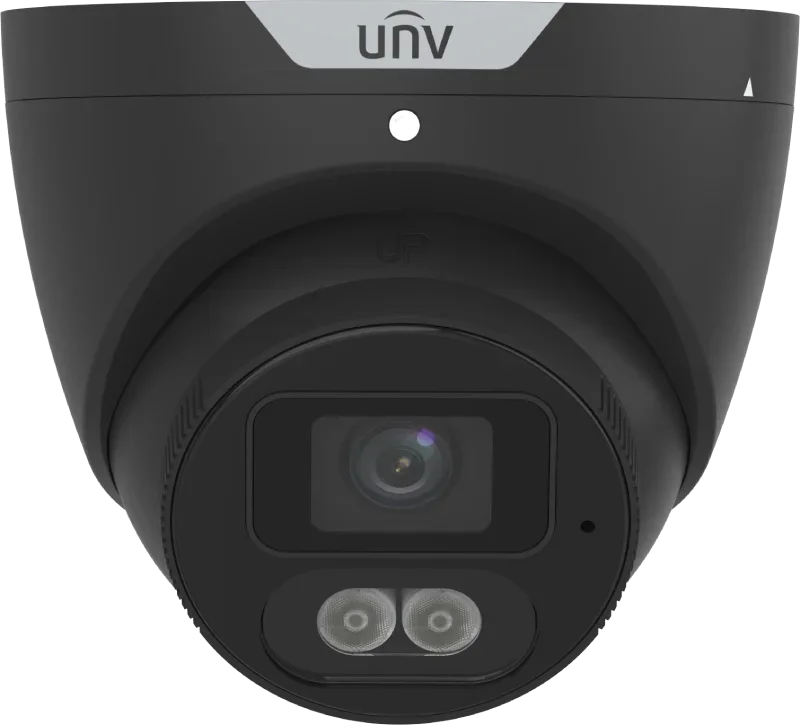
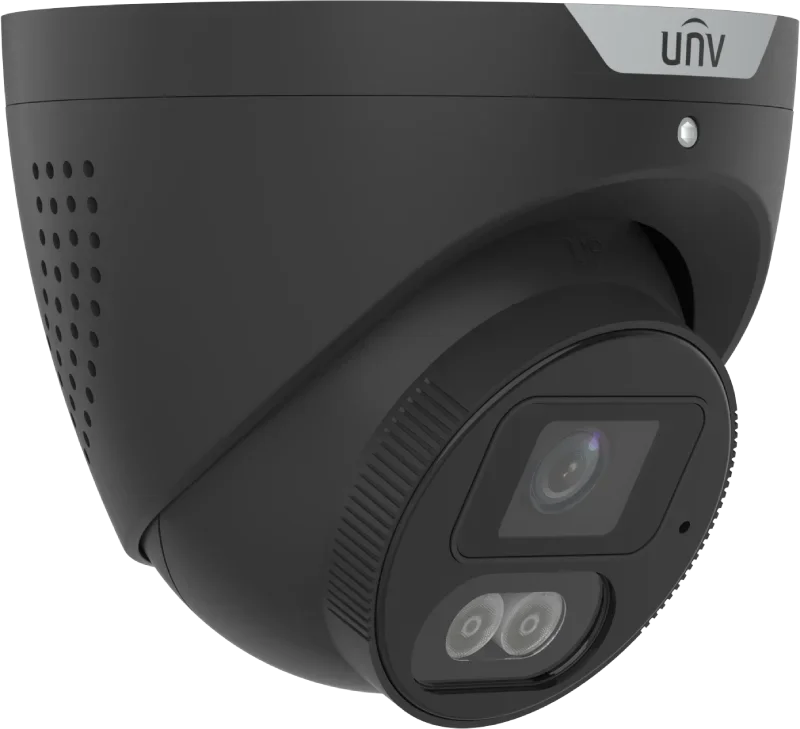


Intelligent "all-in-one" camera with audio and light - 6MP
- Smart surveillance, with both IR and white light
- Can see in absolute darkness - and record in color when it detects intrusion. Also at night.
- High 5MP resolution delivers a great image around the clock
- Smart recognition of people and cars reduces false alarms from animals
- Intrusion detection with people counting
- Strobe can flash as a warning & speaker can emit siren sounds or spoken messages
- Built-in microphone enables audio recording and live audio on viewing
Get push notifications on your mobile - and access video directly from your smartphone or from PC/tablet.
| Datablad |
| Technical specifications | |
| Model | IPC3616SB-ADF28KMC-I1 / IPC3616SB-ADF40KMC-I1 |
| Product type | 6 MP HD Intelligent Light and Audible Warning Fixed Eyeball Network Camera |
| Maximum resolution | 6 MP |
| Image sensor | 1/2.5" CMOS |
| Minimum illumination | Color: 0.002 Lux (F1.4, AGC ON); 0 Lux with IR on |
| Day/Night | IR-cut filter with automatic switching (ICR) |
| Shutter | Auto / Manual, 1 to 1/100000 s |
| Adjustment angle | Pan: 0°–360° / Tilt: 0°–80° / Rotate: 0°–360° |
| Signal-to-noise ratio | >56 dB |
| WDR | 130 dB True WDR |
| Corridor mode | 9:16 supported |
| Lens | |
| Lens type | Fixed |
| Focal length | 2.8 mm (IPC3616SB-ADF28KMC-I1) / 4.0 mm (IPC3616SB-ADF40KMC-I1) |
| Iris type | Fixed |
| Aperture | F1.4 |
| Horizontal field of view | 110.1° (2.8 mm) / 94.4° (4.0 mm) |
| Vertical field of view | 59.0° (2.8 mm) / 48.0° (4.0 mm) |
| Diagonal field of view | 128.5° (2.8 mm) / 111.3° (4.0 mm) |
| DORI distance | |
| Detect | 63.0 m (2.8 mm) / 90.0 m (4.0 mm) |
| Observe | 25.2 m (2.8 mm) / 36.0 m (4.0 mm) |
| Recognize | 12.6 m (2.8 mm) / 18.0 m (4.0 mm) |
| Identify | 6.3 m (2.8 mm) / 9.0 m (4.0 mm) |
| Illuminator | |
| Supplemental light | Dual light |
| IR distance | Up to 30 m (98.4 ft) |
| Warm light distance | Up to 30 m (98.4 ft) |
| IR control | Auto / Manual |
| IR wavelength | 850 nm |
| White light control | Auto / Manual |
| Smart IR | Supported |
| Full-color imaging | ColorHunter with Wise-ISP technology |
| Video | |
| Video compression | Ultra 265 / H.265 / H.264 / MJPEG |
| H.264 profiles | Baseline Profile / Main Profile / High Profile |
| Main stream | 6 MP (3288 × 1860) up to 25 fps / 6 MP (3200 × 1800) up to 25 fps / 4 MP (2560 × 1440) up to 30 fps / 3 MP (2304 × 1296) up to 30 fps / 1080P (1920 × 1080) up to 30 fps / 720P (1280 × 720) up to 30 fps |
| Sub stream | 720P (1280 × 720) up to 30 fps / D1 (720 × 576) up to 30 fps / 640 × 360 up to 30 fps / 2CIF (704 × 288) up to 30 fps / CIF (352 × 288) up to 30 fps |
| Third stream | D1 (720 × 576) up to 30 fps / 640 × 360 up to 30 fps / 2CIF (704 × 288) up to 30 fps / CIF (352 × 288) up to 30 fps |
| Video streams | Triple streams |
| Video bitrate | 128 Kbps–16 Mbps |
| U-code | Supported |
| OSD | Up to 8 OSDs |
| Privacy mask | Up to 4 areas |
| ROI | Supported |
| Image | |
| White balance | Auto / Outdoor / Fine Tune / Sodium Lamp / Locked / Auto2 |
| Digital noise reduction | 2D / 3D DNR |
| Flip | Normal / Flip Vertical / Flip Horizontal / 180° / 90° Clockwise / 90° Anti-clockwise |
| Dewarping | Supported |
| HLC | Supported |
| BLC | Supported |
| Defog | Digital Defog |
| Intelligent analytics | |
| Smart Intrusion Prevention | Supported |
| Cross line detection | Supported |
| Intrusion detection | Supported |
| Enter area detection | Supported |
| Leave area detection | Supported |
| Target classification | Human / Non-motor vehicle / Vehicle |
| False alarm filtering | Supported; reduces false alarms caused by objects such as leaves, birds and lighting |
| People counting | People flow counting supported |
| Crowd density monitoring | Supported |
| Statistical analysis | Not supported |
| Events & general functions | |
| Motion detection | Supported |
| Ultra motion detection | Supported |
| Tampering alarm | Supported |
| Audio detection | Supported |
| Watermark | Supported |
| IP address filtering | Supported |
| Access policy | Supported |
| ARP protection | Supported |
| RTSP authentication | Supported |
| User authentication | Supported |
| HTTP authentication | Supported |
| Audio | |
| Built-in microphone | Supported |
| Built-in speaker | Supported |
| Two-way audio | Supported |
| Audio compression | G.711U / G.711A / AAC-LC |
| Audio bitrate | G.711U/G.711A: 64 Kbps / AAC-LC: 128 Kbps |
| Audio suppression | Supported |
| Sampling rate | G.711U/G.711A: 8 kHz / AAC-LC: 8 kHz, 16 kHz, 48 kHz |
| Audio I/O | Not supported |
| Storage | |
| Edge storage | MicroSD card, up to 512 GB |
| Network storage | ANR / NAS (NFS) |
| Network | |
| Ethernet | 1 × RJ45 10/100 Base-TX Ethernet |
| Protocols | IGMP, SMTP, IPv6, ICMP, ARP, TCP, UDP, DHCP, PPPoE, RTSP, DNS, DDNS, NTP, UPnP, HTTP, 802.1X, SNMP, QoS, SSL/TLS, SSH, IPv4, RTP, RTCP, RTMP, HTTPS |
| ONVIF | Profile S / Profile G / Profile T |
| Other integration | API / SDK |
| Users | Up to 32 users |
| User levels | Administrator / Common user / Operator |
| Client software | EZStation / APP |
| Wi-Fi | Not supported |
| Web browser | |
| Plug-in required live view | IE 10+ / Chrome 45+ / Firefox 52+ / Edge 79+ |
| Plug-in free live view | Chrome 57+ / Firefox 58+ / Edge 16+ |
| Web client languages | 20 languages: Traditional Chinese, English, Simplified Chinese, Polish, German, Russian, French, Korean, Dutch, Czech, Portuguese (Europe), Portuguese (Brazil), Japanese, Thai, Turkish, Spanish (Latin America), Spanish (Europe), Hungarian, Italian, Vietnamese |
| Interfaces | |
| Alarm I/O | Not supported |
| Audio I/O | Not supported |
| Serial port | Not supported |
| Video output | Not supported |
| Reset button | Supported |
| Power supply | |
| Power supply | 12 V DC ±25% / PoE (IEEE 802.3af) |
| Maximum power consumption | 9.6 W |
| Power interface | Ø5.5 mm coaxial power plug |
| Physical specifications | |
| Dimensions | Ø111 × 98 mm (Ø4.4" × 3.8") |
| Weight | 0.47 kg (1.04 lb) |
| Material | Metal |
| Protection class | IP67 (IEC 60529) |
| Surge protection | 4 kV |
| Environment | |
| Operating temperature | –30 °C to +60 °C |
| Operating humidity | ≤95% RH, non-condensing |
| Storage temperature | –30 °C to +60 °C |
| Storage humidity | ≤95% RH, non-condensing |
| Certification | |
| EMC | CE-EMC (EN 55032, EN 61000-3-3, EN IEC 61000-3-2, EN 50130-4) / FCC (FCC 47 CFR Part 15 B) |
| Safety | CE-LVD (EN 62368-1) / UL/CUL (UL 62368-1, CAN/CSA C22.2 No. 62368-1) |
| Environmental compliance | CE-RoHS (2011/65/EU, (EU) 2015/863) / WEEE (2012/19/EU) |
| Compatible accessories | |
| TR-JB03-G-IN | Junction Box for Mini Fix-dome, supports wiring from behind |
| TR-JB07/WM03-G-IN-V2 | Wall Mounting Assembling Bracket for 3.2" Fix-dome / Mini Fix-dome / Plastic Turret Camera |
| TR-WM03-D-IN-V2 | Wall Mounting Bracket for 3.2" Fix-dome / Mini Fix-dome / Plastic Turret Camera |
| TR-A01-IN | NPT 3/4" Waterproof Cable Gland |
| TR-UP06-C-IN-V2 | Pole Mounting Bracket for Bullet Junction Box Only |
| TR-UC08-C-V2 | Bullet & Dome Corner Mounting Bracket |
| TR-SE24-IN | Dome Pendant Mounting Pole, 200 mm |
| TR-SE24-A-IN | Dome Pendant Mounting Pole, 500 mm |
| TR-CM24-IN | Dome Pendant Mounting Bracket, indoor |
| Der tages forbehold for eventuelle fejl og ændringer i specifikationerne / Specifications are subject to change without notice. Errors and omissions excepted. | |
There is no reviews yet. Be the first to write us your opinion
Den professionelle måde at levere strøm, til et PoE-kamera, er gennem netværkskablet.
På den måde behøver man kun at trække et enkelt kabel til hvert kamera - og skal ikke døje med 230V og små strømforsyninger.
Strømmen til kameraet leveres gennem netværkskablet fra enten...
- en optager med indbygget PoE, også kaldet NVR. Et typisk valg for installationer op til og med 8 kameraer.
- en PoE-switch. Populært fortalt en fordelerdåse til netværkskabler. Det typiske valg på store installationer eller hvis man ønsker fleksibel kabelføring.
- en PoE-injector. Kan kun levere strøm til et kamera.
Af samme grund følger der ikke strømforsyning med PoE-kameraer. Du kan bestille en klassisk strømforsyning her, hvis du ikke ønsker at benytte PoE.
One of the cool cameras from Univiews Pro series
Uniview IPC3616SB ADF28(40)KMC I1 is a 6MP eyeball camera with ColorHunter technology, designed to deliver color images around the clock — even in very low light. The camera features Smart IR and warm/white light, a built-in microphone and speaker, and intelligent perimeter protection that can distinguish between people, vehicles and non-motorized vehicles.
Image quality and resolution
The camera records in 6 MP, which means you get a sharper and more detailed image than a classic 4 MP camera. That may sound like "just a number", but in practice it's often what determines whether you can later see the small things that matter, e.g. facial features, clothing, a bag, license plates or what a person is holding.
This is especially useful if you need to cover a larger area, such as a driveway, courtyard or parking lot, where you want to be able to zoom in on the recording without the image becoming grainy.
ColorHunter and Wise-ISP (color around the clock)
Normally many cameras switch to black-and-white at night because that gives the most "stable" night vision with infrared lighting. That works fine — but you lose the colors, and colors are often one of the most important clues when you later assess what actually happened.
With ColorHunter the idea is that the camera instead tries to keep the image in color throughout the night. That means in many more situations you can see things like:
Whether a jacket is black, blue or green
Whether a car is dark grey or black
Whether a person is wearing a red hat, carrying a yellow bag, etc.
Wise-ISP is the camera's "brain" that helps make the image more usable in low light. It's not about turning night into broad daylight, but about getting a nicer and clearer color image when there's only a little light from, for example, a lamp, a carport, a streetlight or light from windows.
In short: ColorHunter gives you color at night in many more situations, and Wise-ISP helps the colors and details look better even when light is poor.
Light: Smart IR and warm/white light (Dual light)
A cool and quite unique thing about this camera is the options to set it exactly how you want in one and the same device. Infrared night vision, which is invisible to the human eye, or white light that gives you beautiful color images at night — you choose.
But it gets even better: the camera can run with its invisible (IR) night vision at night so it neither reveals its position nor disturbs the neighbors. When a person or vehicle enters your property (or the area you have marked), it switches to white light.
That provides three great benefits to your security solution
- You get color on the subject, so it's not just a grey man stepping out of a grey car, but a range of shades that can be extremely valuable in an investigation.
- The person will most likely look up at the camera when the bright light comes on, as it's a natural reaction and increases the chance of a good face image.
- There is a huge deterrent effect when the camera signals that it is reacting to the event.
Remember that this can be combined with push notifications to your phone or sending a signal to a relay, etc.
130 dB true WDR (backlight)
One of the biggest challenges in surveillance is backlight. That's when the camera faces an open gate, a window, a low sun, car headlights or a lamp — and everything in front becomes a dark silhouette.
This is exactly where WDR comes into play.
WDR stands for Wide Dynamic Range, and it means, in short, that the camera is better at handling large differences between bright and dark areas in the same image. So instead of getting either:
- An image where the background is nice but the person in front is completely black
- Or an image where the person is visible but everything behind is completely white and "blown out"
…WDR tries to balance it so you can see details in both places at the same time.
This makes particular sense in situations like:
- Driveways where car headlights shine directly into the camera
- Doors and gates where it's very bright outside but darker inside
- Facades where the sun hits directly at certain times of day
130 dB true WDR means the camera is very strong in difficult light situations, and you get a more usable image where you can see both people and surroundings more clearly — even when lighting is challenging.
Lens and field of view (2.8 mm or 4.0 mm)
The camera is available with a fixed lens in 2.8 mm or 4.0 mm. 2.8 mm gives a wider overview and is often used for courtyards, driveways and facades, while 4.0 mm gives a slightly "narrower" angle and can be advantageous if you want a bit more reach and detail at distance.
- 2.8 mm: approx. 110° horizontal field of view
- 4.0 mm: approx. 94° horizontal field of view
Human and vehicle detection
With the camera's built-in analytics, it can tell the difference between people and vehicles. You can therefore choose whether you want to record general motion-triggered footage, which can also include trees and bushes swaying in the wind, or whether you want to see recordings that contain people and vehicles. You can even choose how large or small objects must be to be detected. That means you can define how close a target must be to be captured.
Cross line
Cross line detects when a target crosses a virtual line you draw in the image. It's typically used at driveways, gates, doors or access paths where you want an alarm when someone crosses a specific "boundary". With object classification you can choose to react to e.g. people and/or vehicles.
Intrusion
Intrusion detects when a target moves into a defined area (a zone) in the image. The feature is typically used when monitoring a confined area such as a courtyard, storage area or private garden and you only want an alarm if someone actually moves into the zone.
Enter area / leave area detection
With enter area and leave area you can get events when a target enters or leaves a defined area. This is practical if you want different reactions depending on direction — for example, if you want an alarm on entry to an area but not on exit, or vice versa.
People flow counting and crowd density
The camera supports people flow counting and crowd density monitoring. It can be used to get an overview of how many people move through an area and whether high density occurs in certain zones. This is often seen in stores, entrances, receptions, common areas or other places where you want to monitor activity and load over time.
Audio: built-in microphone and speaker (two-way audio)
The camera has a built-in microphone and speaker so you can both record audio and communicate through the camera. Two-way audio can be used for anything from talking to people at an entrance to giving a short message if someone is in an area they shouldn't be. Audio can also be used with events so the camera can react to activity with a clear sound/warning depending on setup.
Events and alerts
Besides the intelligent features like human and vehicle detection, the camera can also register a range of "regular" events. These are the functions that help you discover if something changes, if the camera is being tampered with, or if there are errors in the system.
In practice this means the camera is not just "a camera that records" — it can also notify you when something important happens or when something isn't working properly.
These events are typically used to:
- Start a recording
- Send a push notification in the app
- Forward the alarm to a recorder or software
- Make troubleshooting much easier if the camera suddenly goes offline or stops recording
This is especially handy in a regular alarm system with cameras, because then you don't first discover problems when you need the recordings.
Motion detection
Motion detection registers changes in the image within areas you define. It's a broad function that can be used when you want general activity detection, and it can be combined with the intelligent features if you want extra sensitivity in certain areas.
Ultra motion detection
Ultra motion detection is an extended motion detection typically used for more sensitive registration in scenarios where normal motion detection may be too imprecise or generate too few detections. It can be relevant in areas with low contrast or slight movement, depending on setup and environment.
Tampering alarm
Tampering alarm can react if the camera is covered, moved or the image changes abnormally. It's often used as extra security so you get notified if someone tries to sabotage the surveillance by turning the camera, covering the lens or otherwise making the image unusable.
Audio detection
The camera can also detect events based on sound levels. This can be used to react to sudden noise peaks, shouting or bangs. The feature requires correct threshold setup so it suits the environment and isn't triggered by normal sounds.
Storage: microSD and network storage
The camera supports microSD cards up to 512 GB, allowing local recording in the camera. It can also be used with network storage (NAS/NFS) and ANR, which helps "fill in" recordings if there have been temporary network interruptions, depending on system setup.
Compression and streams
The camera supports Ultra 265, H.265 and H.264 as well as MJPEG. This allows you to adjust quality, bandwidth and storage usage. The camera can run multiple streams (triple stream), so you can record in high quality while viewing live in a lighter stream on mobile or PC.
Corridor mode (9:16)
Corridor mode is a feature that makes the camera extra smart in narrow areas — for example a hallway, passage, gate, a driveway between two buildings or a doorway.
Normally a camera films in a "wide" format, a bit like a TV (16:9). That's great for open areas, but in a narrow corridor you often end up using a large part of the image on walls and "nothing" at the sides.
With corridor mode you can rotate the image so the camera films in a "tall" format (9:16) instead. That means you capture much more of the area that actually matters — the length of the corridor or passage.
The benefits are:
- You use the image better in narrow areas
- You get more overview in height and length, instead of wide sides
- You can often place the camera better without having to choose a completely different model or lens
In short: Corridor mode is a great feature if the camera must monitor something long and narrow — and where you want as much "useful surveillance" in the image as possible.
Durable and weatherproof (IP67)
IP67 means the camera is protected against dust and can withstand heavy rain and weather. That makes it suitable for outdoor mounting, e.g. on facades, eaves and in courtyard environments.
What is the camera suitable for?
The camera is compatible with several of Univiews recording devices and software solutions. The camera is also ONVIF-compatible and can sit on recorders that support this.
You can always check the camera under the "accessories" tab or open the datasheet to see which mounts and accessories fit.
Technical specifications
- Resolution: 6 MP
- Sensor: 1/2.5" CMOS
- Min. illumination: Color 0.002 lux (F1.4, AGC ON), 0 lux with IR
- WDR: 130 dB
- Compression: Ultra 265, H.265, H.264, MJPEG
- Lens: 2.8 mm (F1.4) or 4.0 mm (F1.4)
- Light: Dual light (Smart IR and warm/white light), up to 30 m
- Audio: Built-in microphone and speaker, two-way audio
- Storage: microSD up to 512 GB
- Network: RJ45 10/100
- Power: 12 V DC or PoE (802.3af)
- Protection: IP67
- Dimensions: Ø111 × 98 mm
- Weight: approx. 0.47 kg
Den professionelle måde at levere strøm, til et PoE-kamera, er gennem netværkskablet.
På den måde behøver man kun at trække et enkelt kabel til hvert kamera - og skal ikke døje med 230V og små strømforsyninger.
Strømmen til kameraet leveres gennem netværkskablet fra enten...
- en optager med indbygget PoE, også kaldet NVR. Et typisk valg for installationer op til og med 8 kameraer.
- en PoE-switch. Populært fortalt en fordelerdåse til netværkskabler. Det typiske valg på store installationer eller hvis man ønsker fleksibel kabelføring.
- en PoE-injector. Kan kun levere strøm til et kamera.
Af samme grund følger der ikke strømforsyning med PoE-kameraer. Du kan bestille en klassisk strømforsyning her, hvis du ikke ønsker at benytte PoE.